

Marking stories is the slowest part of putting a newspaper online. An editor draws a box around each story so readers can click it, then types or pastes the headline and text. Yet the print PDF that went to the press already contains every word and its exact position. In Inkfold 1.1 we use those coordinates: draw the box and the headline and text fill in by themselves.
Reading the text in the browser
Inkfold already imported PDFs in the browser with pdf.js, rendering each page to an image so the server needs no extra software. The same library exposes the text layer through getTextContent(): a list of text runs, each with a transformation matrix and a width. Multiplying each run’s matrix by the page viewport’s transform gives its position in page pixels; the font size is the length of the matrix’s vertical vector, and the top of the run is its baseline minus that size.
Runs are fragments, not lines, so we sort them by position and join neighbours that share a baseline (within half a text height) and sit close together horizontally. Each line is stored as fractions of the page size, the same coordinate system the story regions use, and posted to the server right after the page image is uploaded.
Or on the server, when the tools are there
Some publishers prefer to convert large PDFs on the server. When the server has the Imagick extension or Ghostscript, an editor can upload the PDF and let the server render the pages at 150 dpi. If Poppler’s pdftotext is installed, its -bbox-layout output provides the same line coordinates, which we normalise to the same format. Without any of these tools everything still works in the browser.
From a box to a headline and a body
When an editor draws a region, the line selection is simple: every line whose centre falls inside the box. Deciding which of those lines is the headline uses typography rather than guesswork: the lines whose height is at least 85 percent of the tallest line in the region. Everything else is body text.
Body text in a newspaper runs in columns, so reading lines strictly top to bottom would interleave them. We group lines into columns by their left edge, with a tolerance of about 3.5 percent of the page width, then read the columns left to right and each column top to bottom. Hyphenated line ends are joined, so “re-” followed by “pair” becomes “repair”.
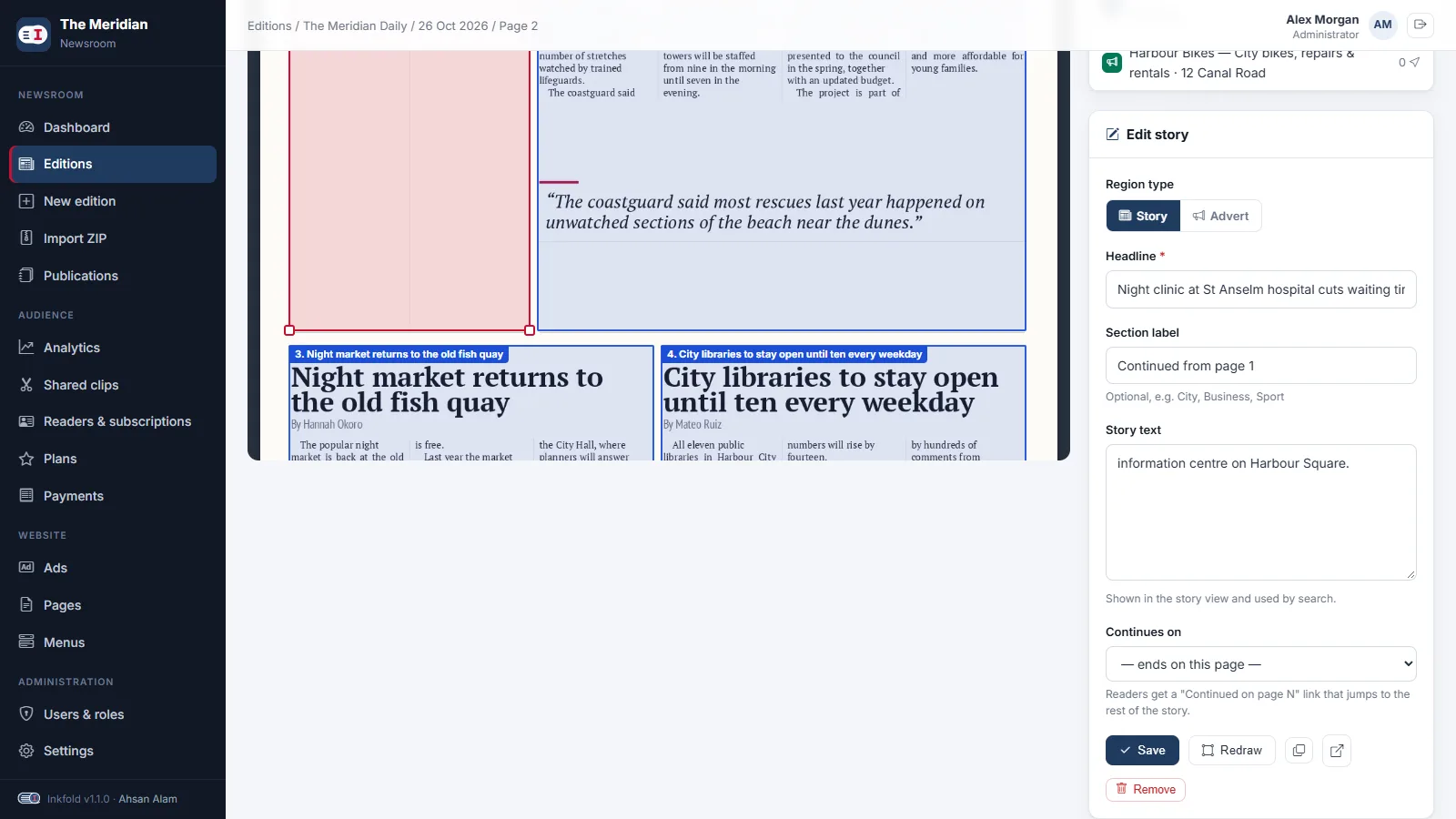
The same logic exists twice: in PHP, so a story saved without text is filled on the server, and in JavaScript, so the mapper can fill the form the moment the box is drawn and offer a “Fill from the PDF” button for existing stories. The whole page’s text is also saved as searchable page text, so site search finds words in adverts and captions too.
Key takeaways
- The print PDF is structured data: use its text layer instead of retyping.
- Normalise every coordinate to fractions of the page so text and regions share one system.
- Pick headlines by type size and read body text column by column.
- Offer server-side conversion as an option, never as a requirement.
Earlier in the series: a multilingual, right-to-left reader. Try the story mapper in the Inkfold demo newsroom; the software is on Charming Theme.
Have PDFs, scans or print files that should become structured content? Let’s Talk — ArtinTech Solution builds document-processing tools for publishers.