
Hostinger AI Website Builder turns a short description of your business into a working website, with hosting, a domain and email included. We tested the plans on October 20, 2026, during Hostinger’s Black Friday sale, when the builder plans started at $2.49 a month. Here is what the builder does, what it really costs, and when a WordPress site is the better choice.
Disclosure: ArtinTech Solution is a Hostinger partner. If you buy through our link we may earn a commission, at no extra cost to you. We are also a web development agency, so we tell you honestly when an AI builder is not the right tool.
Prices and plan details checked on October 20, 2026. Hostinger may change them at any time; the price shown at Hostinger’s checkout is the one that applies.
The short answer
- What it is: an AI website generator plus drag-and-drop editor, with hosting, a custom domain (free for the first year) and mailboxes included.
- Two ways to build: Manual mode (one prompt, then edit visually) and Agentic mode, also called vibe coding (build and edit by chatting with the AI).
- Price: from $2.49 a month in the Black Friday sale (Premium, 48 months, $119.52 upfront). Unlimited was $3.49 and Cloud Startup $7.99 a month.
- Best for: portfolios, small business sites, landing pages, bookings and simple stores. For complex stores or custom features, WordPress is still more flexible.
What is Hostinger AI Website Builder?
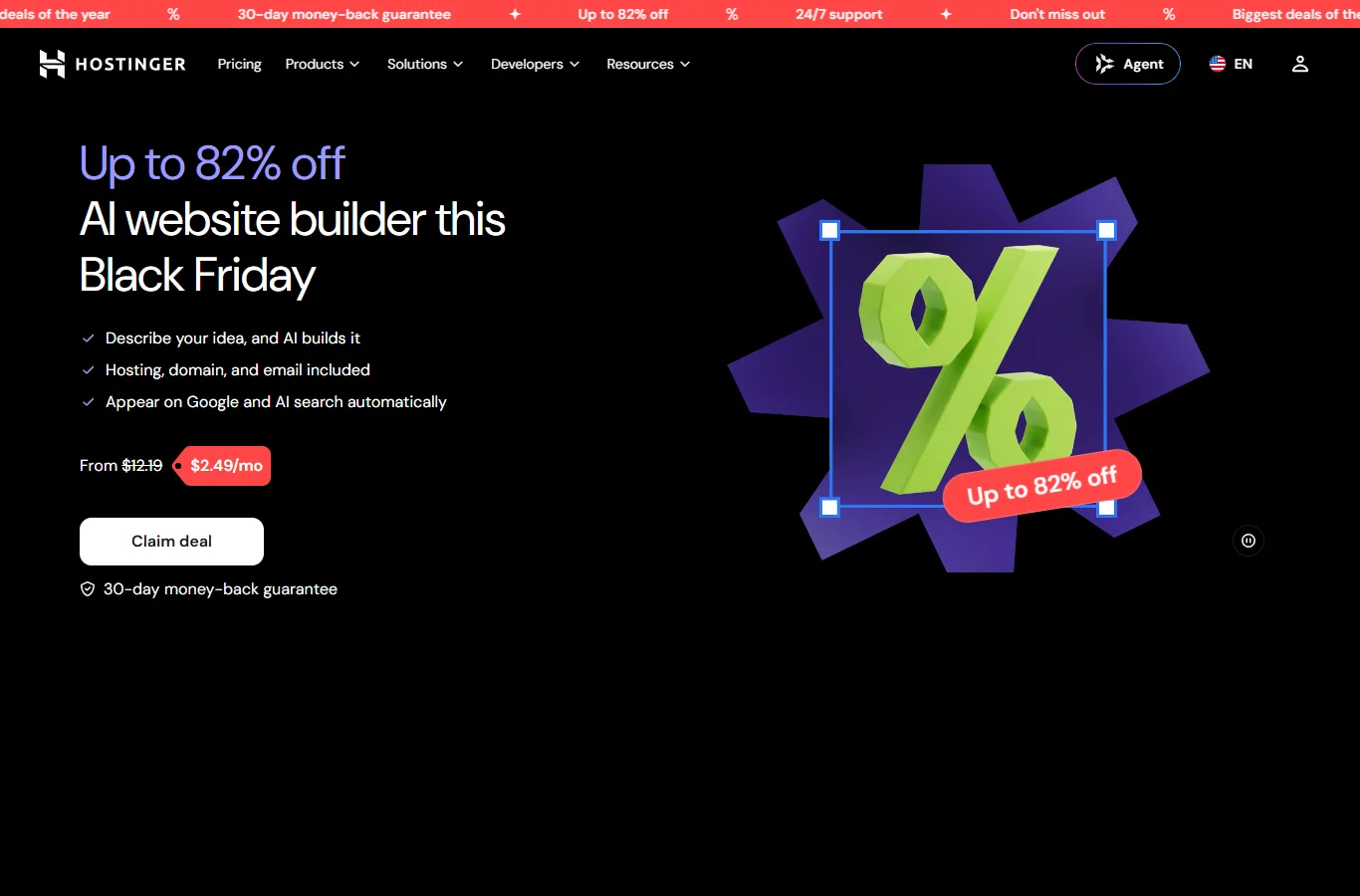
It is Hostinger’s AI-powered site builder. You describe your idea (or start from a template or even an existing website URL), and the AI generates a first version with pages, text, images and layout. Hostinger offers two building approaches:
| Manual mode | Agentic mode (vibe coding) | |
|---|---|---|
| How you start | One prompt describing the website | A chat with the AI |
| How you edit | Drag-and-drop visual editor | More chat: ask for changes in plain words |
| Design | AI layout you fine-tune by hand | AI generates design elements uniquely for you |
| Best for | A polished site quickly, with full visual control | Unusual ideas and interactive pages |
Hostinger says both approaches are beginner-friendly and can have a site live in minutes. No coding or design skills are needed, and you can edit the site after publishing.
What you can build with it
- Online store: sell physical products, digital downloads and services.
- Business website: company, service and local business sites.
- Memberships and subscriptions for paid content.
- Portfolio, resume, blog and link-in-bio pages.
- Booking sites for appointments and services.
- Interactive sites generated through the chat mode.
- Websites from URL: start from an existing site and let the AI rebuild it.
For selling, Hostinger lists 0% transaction fees, 100+ payment methods and shipping with 40+ carriers including DHL, UPS and FedEx. The Hostinger Ecommerce add-on was offered for $1 for the first 3 months, then $8.99 a month.
Hostinger AI Website Builder prices
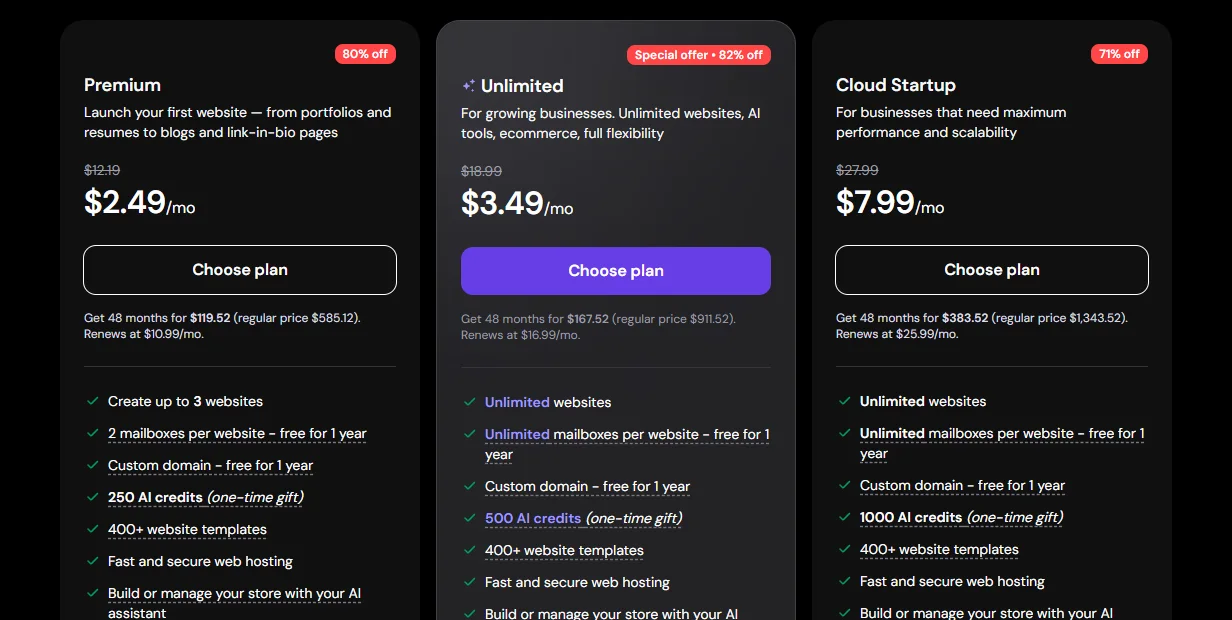
| Plan (48 months) | Sale price | Paid upfront | Renews at |
|---|---|---|---|
| Premium | $2.49/mo | $119.52 | $10.99/mo |
| Unlimited | $3.49/mo | $167.52 | $16.99/mo |
| Cloud Startup | $7.99/mo | $383.52 | $25.99/mo |
Prices from Hostinger’s official pricing page, checked on October 20, 2026. See today’s prices on Hostinger ↗
Prices in US dollars from Hostinger’s global site, excluding VAT, checked during the Black Friday sale. Your local currency and sale prices may differ.
What each plan includes
| Premium | Unlimited | Cloud Startup | |
|---|---|---|---|
| Websites | Up to 3 | Unlimited | Unlimited |
| AI credits (one-time gift) | 250 | 500 | 1,000 |
| Mailboxes (free for 1 year) | 2 per website | Unlimited | Unlimited |
| Custom domain | Free for 1 year | Free for 1 year | Free for 1 year |
| Templates | 400+ | 400+ | 400+ |
| Ecommerce | Store with AI assistant | Yes | Yes |
| Priority 24/7 support | No | Yes | Yes |
| Email marketing (Reach) | No | Yes | Yes |
AI credits are used to create and edit sites, generate content and automate tasks; you can top them up if you run out. The free domain needs a yearly or longer plan, must be registered within 12 months, and not every domain extension qualifies. Extra mailboxes renew at $0.59 a month each.
How to build a website with Hostinger AI, step by step
- Open the Hostinger AI Website Builder page and compare the three plans.
- Choose a plan (Unlimited if you want a store or more than 3 sites) and a 48-month term for the lowest price.
- Describe your idea: write a prompt or pick a template. The AI creates the first version.
- Make it yours: edit the design, text, images and layout, or keep chatting in Agentic mode.
- Connect your domain and email, then publish.
- Fill in the SEO title and description for each page, and add your Google Search Console and analytics.
Prompt tips from a web agency
- Say who it is for: “a bakery in Dhaka that takes cake orders on WhatsApp” works far better than “a bakery website”.
- List the pages you need (home, menu, about, order, contact) and the one action you want visitors to take.
- Give real details: prices, opening hours, delivery areas. AI fills gaps with generic text otherwise.
- Replace stock photos with your own pictures before you publish.
- Read every line. AI can invent claims; remove anything that is not true for your business.
SEO and AI search: will people find the site?
Hostinger says sites are prepared to appear on Google and in AI search automatically, with built-in SEO and AI search tools. That gives you a good technical start, but rankings still depend on the content:
- One clear topic per page, with the keyword in the title, heading and first paragraph.
- Your own text, photos and prices instead of generic AI copy.
- A Google Business Profile if you serve local customers.
- Fast pages: compress images and avoid heavy video backgrounds.
Pros and cons
| Pros | Cons |
|---|---|
| A working site in minutes, no coding | AI credits are a one-time gift; you top up later |
| Hosting, domain and email in one bill | Renewal prices are much higher than the first term |
| Two AI modes, plus a visual editor | Less flexible than WordPress for custom features |
| 0% transaction fees on store sales | Moving a builder site elsewhere is harder than moving WordPress |
| Big first-term discounts during Hostinger sales | The best price needs a 48-month upfront payment |
Hostinger AI Website Builder or WordPress?
| AI Website Builder | WordPress (same Hostinger plans) | |
|---|---|---|
| Setup | Minutes, guided by AI | An afternoon, or a developer |
| Customisation | Templates and AI edits | Any theme, plugin or custom code |
| Stores | Simple to medium stores | Any size with WooCommerce |
| Best for | Owners who want to launch today | Growing businesses and custom needs |
The good news is that Hostinger’s Premium, Unlimited and Cloud Startup plans also run WordPress, so you can start with the AI builder and add a WordPress site later on the same plan. If you need a custom store, a single-product landing page or special features, our WordPress development team can build it. See also our guide to a single product landing page with free Elementor.
Frequently asked questions
How much does Hostinger AI Website Builder cost?
It comes with Hostinger’s Premium, Unlimited and Cloud Startup plans. In the Black Friday sale, Premium was $2.49 a month on a 48-month term when we checked, Unlimited $3.49 and Cloud Startup $7.99.
What is vibe coding in Hostinger?
It is Hostinger’s Agentic mode: you build and change the website by chatting with the AI instead of using a drag-and-drop editor.
Are hosting and a domain included?
Yes. Hosting is included in every plan, and a custom domain is free for the first year on yearly or longer plans (some extensions excluded).
Will my site be mobile-friendly?
Yes, the builder creates responsive sites. Still check every page on a real phone before you publish.
Can I sell products?
Yes. You can sell physical and digital products and services with 0% transaction fees; Unlimited and Cloud Startup include ecommerce.
Can I switch to WordPress later?
The same plans support WordPress, so you can create a WordPress site alongside the builder site. Moving the builder design itself into WordPress means rebuilding it.
More Hostinger guides: the best Hostinger deal this month, AI agents for small business and our Hostinger review.