

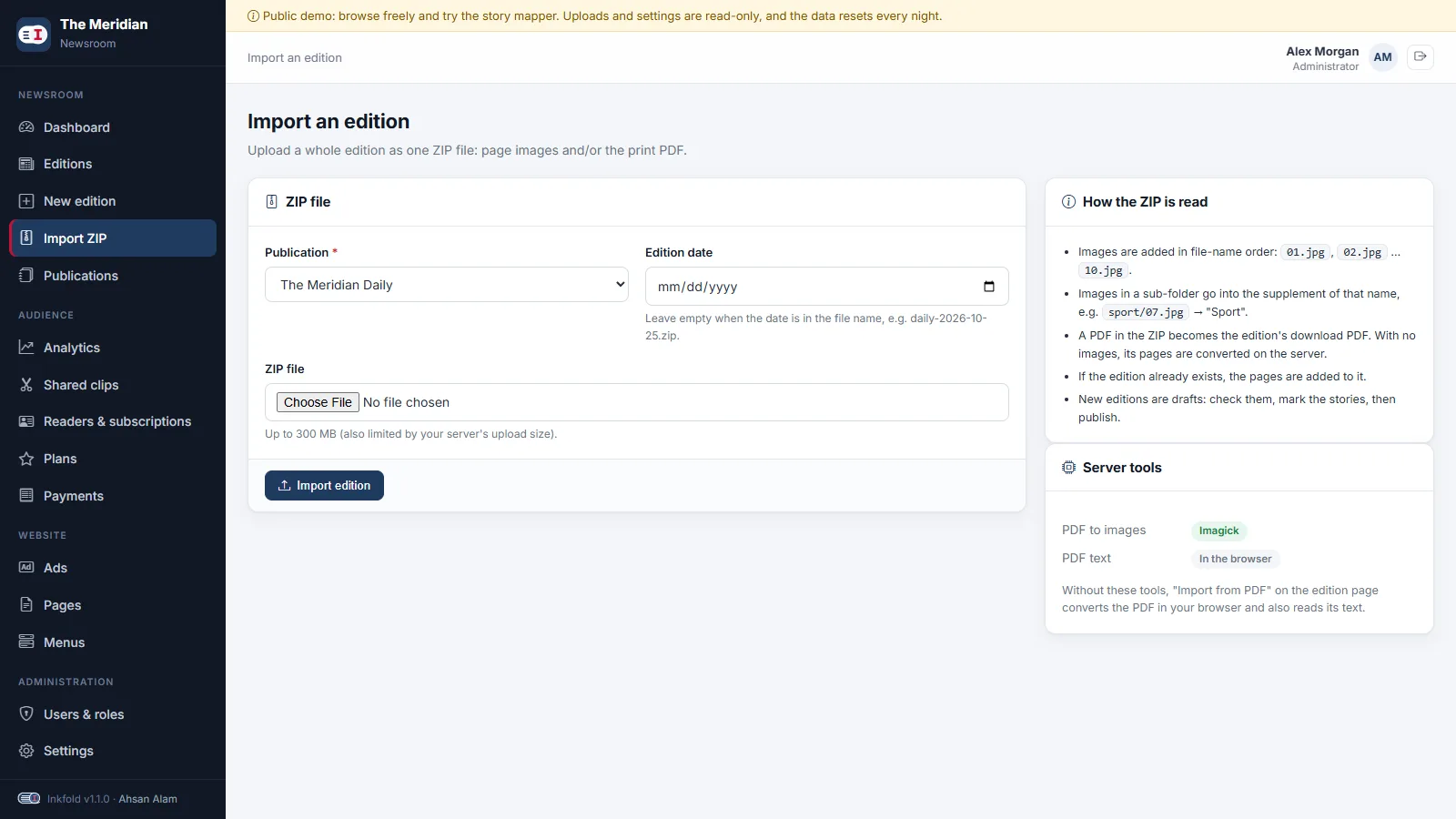
Every production desk ends the night with the same thing: a folder of page files named 01.jpg to 24.jpg, sometimes a sport folder for the supplement, and the print PDF. Uploading those one by one through a form is tedious and error-prone. In Inkfold 1.1 the desk can zip the folder and upload it once. The result is a complete draft edition.
Rules a production desk can remember
We kept the conventions short enough to fit on a sticky note:
- One ZIP is one edition. The date comes from the form, or from the file name when it contains one, such as
daily-2026-11-14.zip. - Pages are added in file-name order. Sorting is natural, so
2.jpgcomes before10.jpgwhether or not the files are zero-padded. - A sub-folder is a supplement. Images in
sport/go into a supplement called “Sport”, created on the fly if the publication does not have it yet. - A PDF becomes the edition PDF. Readers can download it when the publisher allows it.
The details that make it robust
ZIP files made on a Mac contain a __MACOSX folder full of resource-fork files that look like images but are not; those, hidden dot-files and directory entries are skipped. Many desks zip the folder itself rather than its contents, so every path starts with the same top folder; when all images share one top folder, it is ignored instead of becoming a supplement called “Edition 2026-11-14”.
Each image goes through the same pipeline as a normal upload: re-encoded to WebP or JPEG in three sizes, with a page title derived from the file name, so 01-front-page.jpg becomes “Front Page” and a plain number gives no title. If the edition already exists, the pages are appended rather than duplicated.
A PDF without images
Some desks send only the PDF. When the ZIP has no images and the server has Imagick or Ghostscript, the PDF pages are converted on the server, with their text read for story mapping as described in our post on PDF text coordinates. When the server cannot convert PDFs, the edition is created with the PDF attached and the editor is told to use the in-browser PDF import, which needs nothing on the server.
Drafts, not surprises
An imported edition is always a draft. Nothing reaches readers until someone has checked the pages, marked the stories and published, or sent it through the review step. Every import is written to the activity log with the number of pages and the user who uploaded it.
Key takeaways
- Match the conventions a production desk already uses instead of inventing new ones.
- Sort naturally, skip operating-system junk and ignore a shared top folder.
- Route bulk imports through the same image pipeline as single uploads.
- Import into drafts and log who did it.
Try the import screen in the Inkfold demo newsroom; the software is on Charming Theme.
Moving a print workflow online and drowning in uploads? Let’s Talk — ArtinTech Solution automates exactly this kind of work.