
A newspaper’s e-paper shows every printed advert to a second audience, often a large one, yet in most digital editions those adverts are just pixels. Readers who want the furniture shop’s sale have to type its name into a search engine. In Inkfold 1.1 an editor can mark a printed advert, link it to the advertiser, and the sales team gets a report of the clicks.
An advert is a region with a different type
We did not build a second system for adverts. A printed advert is a region on the page like a story, drawn in the same story mapper, with a type field set to “ad” instead of “story”. Instead of a headline and text it stores the advertiser’s name and web address, and a click counter. Validation requires a valid http or https address for an advert and clears it for a story, so the two never mix.
Counting clicks without trusting JavaScript
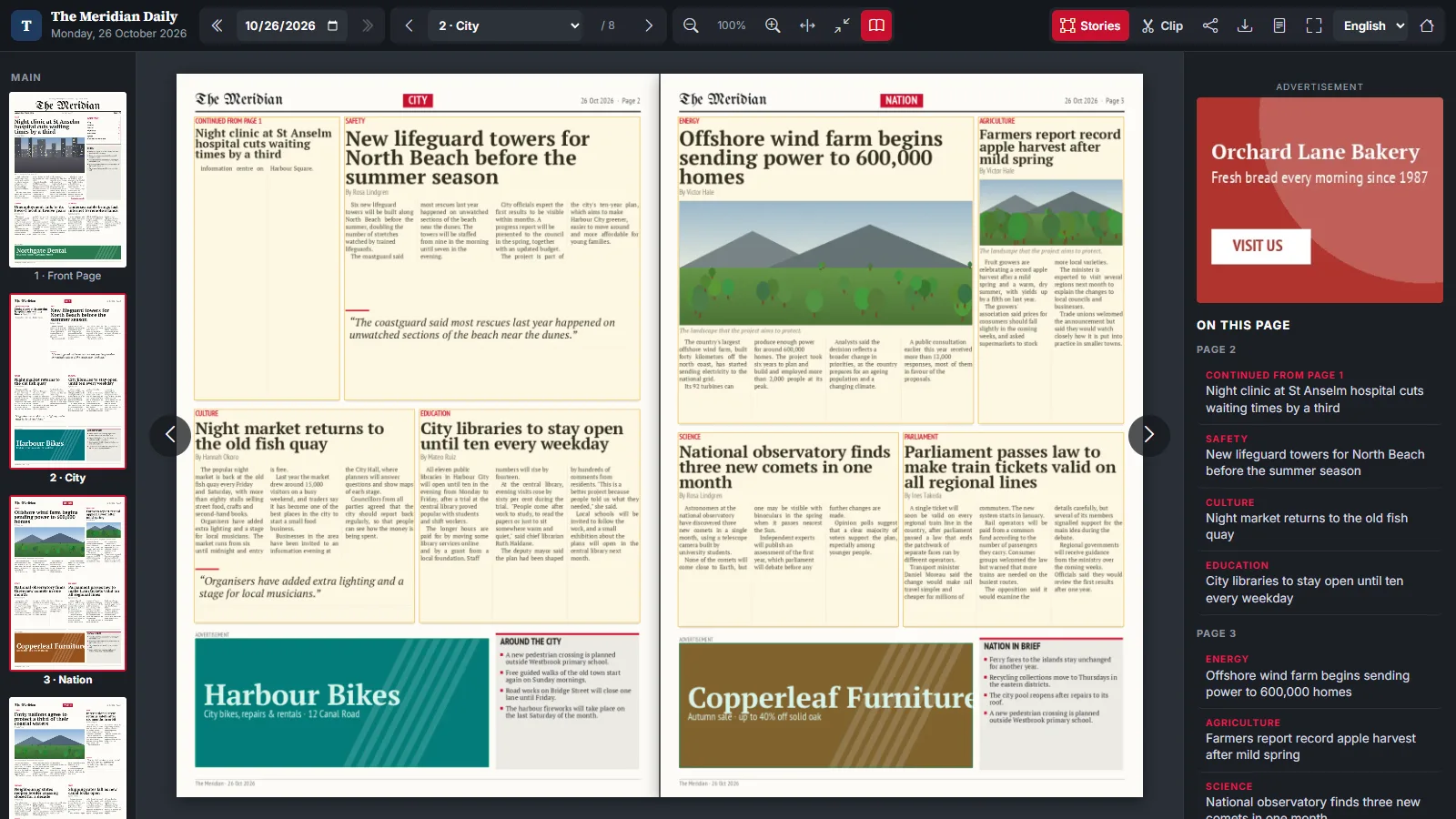
In the reader, an advert region is a real link with rel="sponsored noopener" that opens in a new tab. It does not point at the advertiser directly; it points at a short redirect on the e-paper’s own domain. That route checks that the advert exists, has a valid address and belongs to a live edition, increments the counter and redirects. Because counting happens on the server, ad blockers and disabled scripts do not distort the numbers, and the advertiser’s address is never an open redirect for anything else.
The reader script treats an advert differently from a story: a tap opens the advertiser instead of the story pop-up, a drag that starts on an advert still pans the page, and a keyboard user can tab to it and press Enter like any other link.
Adverts are not stories
Once adverts live in the same table as stories, every list of stories has to leave them out: site search, the RSS feed, the sitemaps, “also on this page” and the text version of the edition. A query scope for stories made that a one-word change in each place, and a test asserts that an advert never appears in search or the text version. Opening an advert’s would-be story page returns 404.
A report the sales team can send
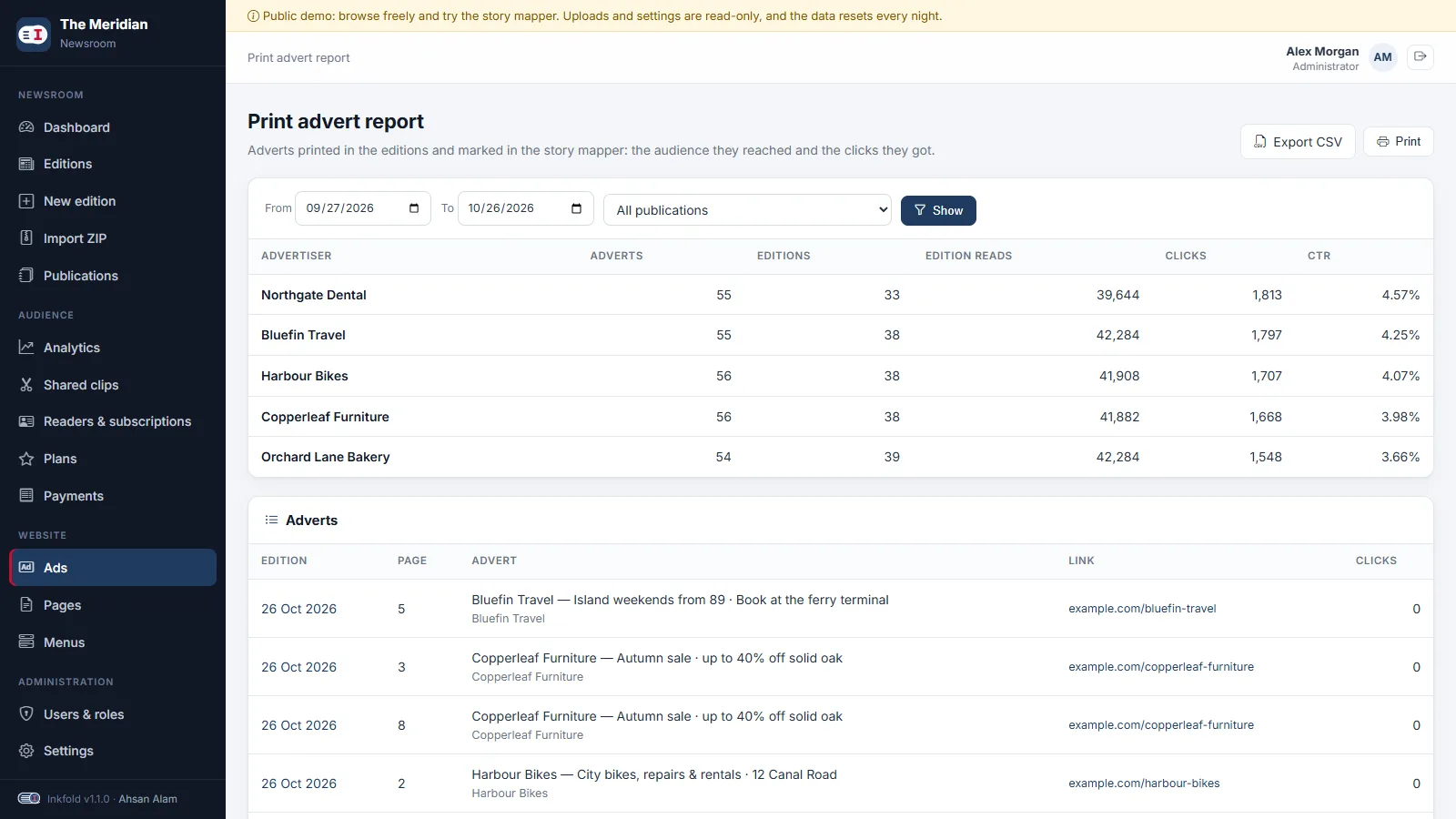
The print-advert report groups adverts by advertiser for any date range and publication: how many adverts ran, in how many editions, the reads of those editions as an audience figure, the clicks and the click-through rate. Below it, each advert is listed with its edition, page and link. The same data exports as CSV, so the sales team can attach it to an invoice or a renewal offer.
Key takeaways
- Model print adverts as a type of region, not a parallel system.
- Count clicks with a server-side redirect, and validate before redirecting.
- Use a query scope so adverts never leak into story lists.
- Give the sales team a report they can export.
Earlier in the series: a review step for the newsroom. Highlight the regions in the Inkfold demo reader to see the adverts; the software is on Charming Theme.
Looking for new advertising revenue from your digital edition? Let’s Talk — ArtinTech Solution builds ad and reporting tools for publishers.