
🌐 Read this article in another language: English · Dansk · Español · Deutsch · Français · Bahasa Melayu · العربية · 简体中文 · 日本語
Selling clothes online comes with problems that most other stores do not have. Customers cannot touch the fabric or try the item on, so they worry about fit. Return rates are high. Shoppers want to see the product on real people, filter by size and colour, and get an answer before they buy.
Shopify gives you a solid base, and its App Store has thousands of apps that promise to help. The hard part is choosing. Every app you install adds cost, admin work and, often, extra code that slows your store down. This guide focuses on apps that solve the specific problems of clothing stores, and explains when each one is worth it.
How we chose these apps
We looked for apps that meet four conditions:
- They solve a clothing-specific problem, such as fit, returns, visual proof or large catalogues with many variants.
- They are established, with a long track record in the Shopify App Store and active development.
- They offer a free plan or free trial, so you can test them before paying.
- They do not lock you in, so your data can be exported if you switch later.
A note on older lists: many articles from a few years ago recommended Oberlo for dropshipping. Shopify shut Oberlo down in 2022, so if you see it recommended, the list is out of date.
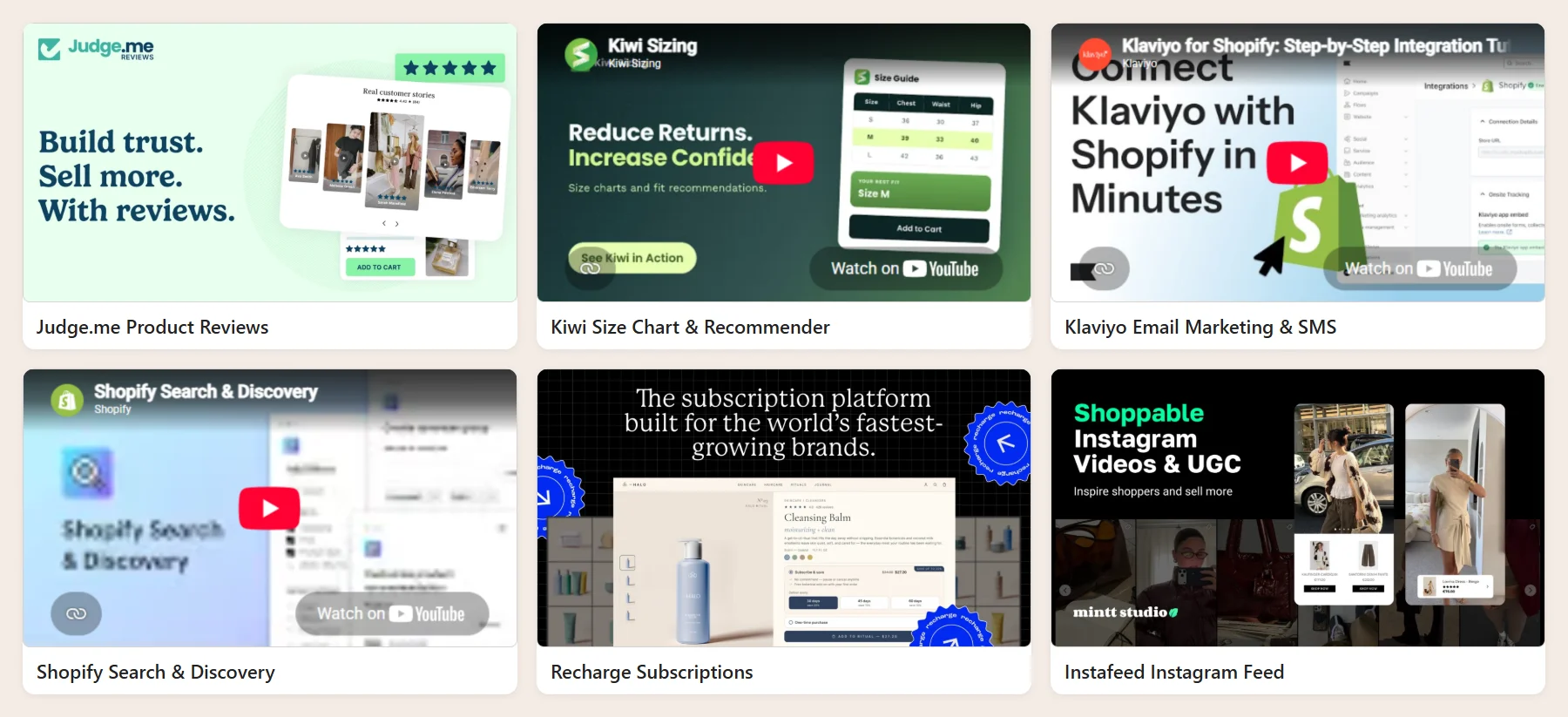
1. Judge.me: product reviews with photos and videos
For clothing, reviews do more than build trust. Customers read them to find out whether an item runs small, how the fabric feels and what it looks like on a real body. Judge.me collects reviews automatically after delivery, lets customers upload photos and videos, and displays star ratings on product and collection pages.
Why it matters for clothing: photo reviews answer fit and colour questions that product photos cannot. You can also ask reviewers for their usual size and how the item fitted.
Pricing: free plan available, with a paid plan that adds more customization and integrations.
2. Kiwi Size Chart & Recommender: fewer sizing doubts and returns
Sizing uncertainty is one of the main reasons shoppers abandon a clothing purchase, and wrong sizes are a leading cause of returns. Kiwi lets you build size charts per product or per collection and show them in a clean pop-up next to the size selector. It can also recommend a size based on the customer’s measurements.
Why it matters for clothing: a clear, consistent size chart on every product is the simplest way to reduce size-related returns.
Pricing: free plan available, with paid plans for the size recommender and advanced options.
3. Klaviyo: email and SMS that bring customers back
Fashion is a repeat-purchase business. New collections, restocks and seasonal sales give you reasons to contact customers again and again. Klaviyo connects deeply with Shopify, so you can send automated flows such as abandoned cart, browse abandonment, welcome series and back-in-stock alerts, based on what each customer has viewed and bought.
Why it matters for clothing: back-in-stock alerts for a specific size and personalised new-arrival emails turn one-time buyers into regular customers.
Pricing: free plan for a small number of contacts; the price then grows with your list size.
4. Shopify Search & Discovery: filters, synonyms and recommendations
Built by Shopify and free, this app controls how customers find products in your store. You can add filters for size, colour, material and price to collection pages, set up search synonyms (for example, "trousers" and "pants"), boost specific products in results, and customise product recommendations.
Why it matters for clothing: clothing catalogues grow quickly and every product has many variants. Good filters let a customer see only what is available in their size, which saves time and reduces frustration.
Pricing: free.
5. Recharge: subscriptions and recurring orders
Recharge adds subscription products to your Shopify store. For clothing, this works well for basics that customers buy repeatedly, such as socks, underwear and T-shirts, and for curated monthly boxes. Customers manage their own subscriptions through a portal, and you get predictable recurring revenue.
Why it matters for clothing: it turns everyday essentials into a steady income stream instead of one-off orders.
Pricing: paid, with a free trial. Only worth it if subscriptions are part of your business model.
6. Instafeed: your Instagram on your store
Fashion brands live on Instagram. Instafeed displays your Instagram posts and Reels on your Shopify store, and can make them shoppable by tagging products. This keeps your store looking fresh and shows products styled in real outfits.
Why it matters for clothing: styled photos and videos help customers imagine how to wear an item, which product photos on a white background cannot do.
Pricing: free plan available, with paid plans for shoppable posts and more features.
7. Shopify Inbox: answer questions before customers leave
Many clothing customers have one small question before they buy: "Is this true to size?" or "Will it arrive before Friday?". Shopify Inbox, Shopify’s free chat app, adds a chat button to your store so you can answer from the Shopify admin or the mobile app. It can show product and order details in the conversation and send automated answers to common questions.
Why it matters for clothing: a quick answer about fit or delivery often decides whether a customer buys.
Pricing: free.
8. Loop Returns: turn returns into exchanges
Returns are a fact of life in fashion. Loop gives customers a self-service returns portal and encourages exchanges instead of refunds, for example by offering an instant exchange for a different size or store credit. You keep more revenue, and your team spends less time on emails.
Why it matters for clothing: a size exchange keeps the sale; a refund loses it.
Pricing: paid. It suits established stores with a meaningful return volume. Smaller stores can start with Shopify’s built-in self-serve returns.
9. Translate & Adapt: sell in more than one language
If you sell across borders, Shopify’s free Translate & Adapt app lets you translate your store content, including products, collections and pages, and adapt it per market. It includes a limited amount of automatic translation, and you can edit every translation manually.
Why it matters for clothing: product descriptions, size guides and care instructions need to be clear in the customer’s own language, especially when they are deciding on fit.
Pricing: free.
Quick comparison
| App | Problem it solves | Free option |
|---|---|---|
| Judge.me | Social proof and fit feedback | Free plan |
| Kiwi Size Chart & Recommender | Sizing doubts and size-related returns | Free plan |
| Klaviyo | Repeat purchases, abandoned carts | Free plan (small lists) |
| Shopify Search & Discovery | Filters and search in large catalogues | Free |
| Recharge | Subscriptions for basics and boxes | Free trial |
| Instafeed | Styled, real-life product content | Free plan |
| Shopify Inbox | Pre-purchase questions | Free |
| Loop Returns | Returns that become exchanges | No |
| Translate & Adapt | Selling in several languages | Free |
Plans and features change regularly. The pricing notes above reflect what each app offered in March 2024, so check the App Store listing before you install.
Do not let apps slow your store down
Every app that adds something to your storefront usually adds JavaScript and CSS too. Install ten apps without thinking and your product pages can become noticeably slower, which hurts both conversion and SEO. Keep your store fast with a few habits:
- Install one app at a time and check your store speed before and after.
- Prefer theme app extensions. Modern apps add their features as app blocks in the theme editor, which are cleaner and easier to remove.
- Uninstall apps you no longer use, and check that they did not leave code behind in your theme files.
- Avoid apps that overlap. You do not need three apps that all show pop-ups.
- Consider custom code for simple features. A size chart tab or an announcement bar can often be built directly into the theme without an app.
A simple starting stack
If you are launching a new clothing store, you do not need all nine apps on day one:
- At launch: Shopify Search & Discovery, a size chart app such as Kiwi, a reviews app such as Judge.me, and Shopify Inbox.
- Once you have steady traffic: Klaviyo for abandoned cart and back-in-stock flows, and Instafeed if Instagram is a major channel.
- As you scale: Loop Returns when returns take real time to handle, Recharge if you add subscriptions, and Translate & Adapt when you enter new markets.
When your store needs something no app does well, such as a custom product builder or an integration with your warehouse, a custom solution is often cleaner and cheaper in the long run. At ArtinTech Solution we build custom Shopify themes and Shopify apps for exactly those cases. Tell us what you need.
Frequently asked questions
How many apps should a Shopify clothing store have?
There is no fixed number, but most successful small stores run fewer apps than you might expect. Install an app only when it solves a problem you actually have, and remove it if it does not pay for itself.
Are free Shopify apps good enough?
Often, yes. Several of the best apps for clothing stores, including Shopify Search & Discovery, Shopify Inbox and Translate & Adapt, are free, and others have useful free plans. Upgrade when you outgrow the free features.
Which Shopify app reduces returns for clothing stores?
A clear size chart app such as Kiwi Size Chart & Recommender reduces size-related returns, reviews that mention fit help customers choose the right size, and a returns app such as Loop turns many of the remaining returns into exchanges.
Do Shopify apps affect SEO?
They can. Apps that add a lot of code to every page can slow your store down, and page speed affects both rankings and conversions. Reviews apps can help SEO by adding fresh content and star ratings in search results.