
🌐 Read this article in another language: English · Español · Deutsch · Français · Bahasa Melayu · العربية · 简体中文 · 日本語 · Dansk
Malware is any software designed to harm a device or the people using it: viruses, trojans, spyware, adware, ransomware and the scripts attackers inject into hacked websites. Modern malware is built to stay hidden for as long as possible, because the longer it runs, the more data it can steal or the more money it can make.
That is why knowing the warning signs matters. A single possible sign of malware does not prove an infection, since many of these symptoms also have innocent causes. But when you notice one, it is worth checking, and when you notice several at once, you should act straight away.
Common signs of malware on a computer
- Your computer suddenly becomes slow. Malware uses processor time, memory and network bandwidth. A machine that was fine yesterday and crawls today, with no new software installed, deserves a closer look.
- Pop-ups appear even when your browser is closed. Adware shows ads outside web pages, or floods your screen with fake "your PC is infected" warnings that push you to call a number or buy software.
- Your browser’s homepage or search engine has changed. Browser hijackers replace your settings and send your searches through pages they control.
- New toolbars, extensions or programs you did not install. Malware often arrives bundled with free downloads and installs extra components quietly.
- Your security software is turned off. Some malware disables antivirus, firewall or Windows updates to protect itself. Security settings that turn themselves off are a serious warning sign.
- The fan runs hard while the computer is idle. Cryptomining malware uses your processor to mine cryptocurrency, which keeps the machine hot and busy even when you are doing nothing.
- Files are renamed, encrypted or missing, or a ransom note appears. This is ransomware, and it needs immediate action.
- Friends receive emails or messages you did not send. Your account or device may be compromised and used to spread the infection further.
- Frequent crashes, freezes or error messages that started without any obvious reason.
Signs of malware on a phone
- The battery drains much faster than usual, or the phone gets warm when you are not using it.
- Mobile data usage jumps without a change in your habits.
- Apps you do not recognise appear on your home screen or in your app list.
- Pop-up ads appear outside apps or on the lock screen.
- Text messages or calls you did not make show up on your bill.
- An app asks for permissions it does not need, such as a torch app requesting access to your messages or accessibility services.
Signs that your website has malware
Websites get infected too, and site owners are often the last to know. Attackers usually hide their code from logged-in administrators and show it only to visitors or to Google.
- Google or your browser shows a warning such as "This site may be hacked" in search results or a full-page red "Deceptive site ahead" warning.
- Visitors are redirected to spam, gambling or fake prize sites, often only on mobile or only when they arrive from Google, so you may not see it when you type your address directly.
- Strange pages appear in Google when you search
site:yourdomain.com, for example pages in Japanese or pages selling medicines you do not sell. - Unknown administrator accounts appear in your website’s user list.
- Unfamiliar files or code on your server, such as PHP files with long scrambled text or functions like
eval(base64_decode(...)). - Your hosting company suspends the site or warns you about malicious files or unusual resource usage.
- Emails from your domain start bouncing or landing in spam, because your server has been used to send spam.
- Search traffic drops suddenly without any changes on your side.
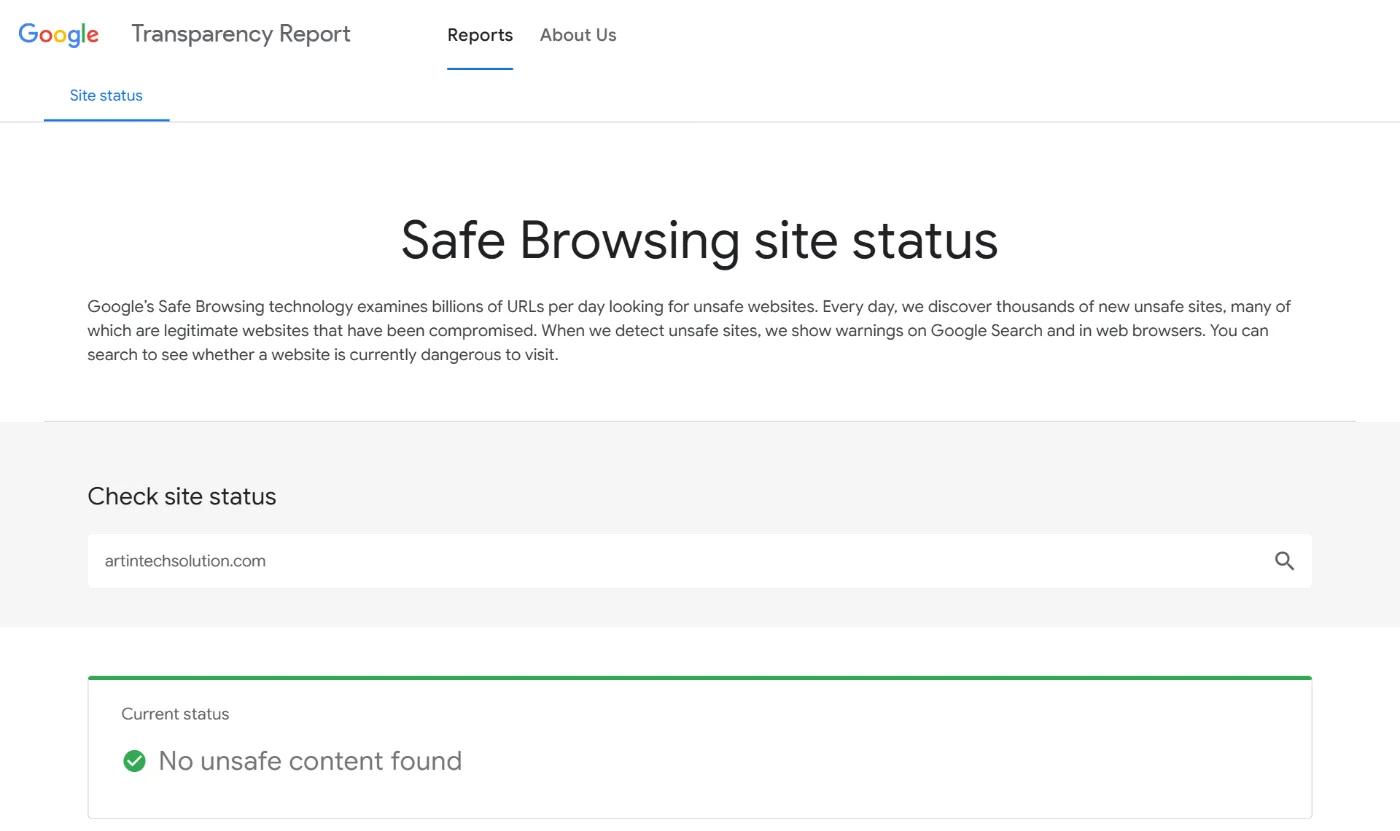
You can check whether Google currently flags a website as unsafe with its free Safe Browsing site status tool.
What to do if you notice a sign of malware
On a computer or phone
- Disconnect from the internet if you suspect ransomware or see files being encrypted. This can stop the damage from spreading to shared drives.
- Run a full scan with a reputable security tool, such as the built-in Microsoft Defender on Windows, and consider a second opinion scanner.
- Remove unknown programs, apps and browser extensions, and reset your browser settings.
- Change your important passwords from a different, clean device, starting with email and banking, and turn on two-factor authentication.
- Update your operating system and apps, because many infections exploit known security holes that have already been fixed.
- Restore from a backup if files were encrypted or the system remains unstable. Do not pay a ransom: there is no guarantee you will get your files back.
On a website
- Take a full backup of the files and database before you change anything, so you keep evidence and can roll back.
- Scan the site with a security plugin or your host’s malware scanner, and compare core files with clean copies.
- Remove the infection and the way in. Cleaning the files is not enough if the outdated plugin, theme or stolen password that let the attacker in is still there.
- Update everything: WordPress core, plugins and themes. Delete plugins and themes you do not use.
- Change every password: hosting, FTP or SFTP, database and all administrator accounts, and remove users you do not recognise.
- Request a review in Google Search Console under Security Issues once the site is clean, so the warning is removed from search results.
How to prevent malware
- Keep software updated on every device and website. Turn on automatic updates where you can.
- Install software only from trusted sources, such as official app stores and the developer’s own website.
- Be careful with email attachments and links, especially messages that create urgency, such as unpaid invoices, failed deliveries or password resets you did not request.
- Use a password manager and two-factor authentication so one stolen password does not unlock everything.
- Keep regular backups that are stored separately from the device or server they protect.
- For websites, use fewer, well-maintained plugins, strong hosting, a web application firewall and uptime and security monitoring.
Most website infections we see come from the same few causes: outdated plugins, abandoned themes and reused passwords. Regular website maintenance removes most of that risk. If your WordPress site shows any of the signs above, our WordPress team can help. Contact us and describe what you are seeing.
Frequently asked questions
What’s a possible sign of malware?
Common signs include a sudden slowdown, unexpected pop-ups, changed browser settings, programs or apps you did not install, security software that has been turned off, unusual battery or data use on a phone, and, for websites, Google warnings or redirects to spam sites.
Can a slow computer alone mean malware?
Not necessarily. Slowness can come from a full disk, too many startup programs or ageing hardware. It becomes a stronger sign of malware when it appears suddenly together with other symptoms, such as pop-ups or disabled security software.
How do I know if my website has been hacked?
Search Google for site:yourdomain.com and look for pages you did not create, check Google Search Console for security issues, open the site on a phone from a Google search to look for redirects, and review your list of administrator users.
Does a factory reset remove malware from a phone?
In most cases, yes, a factory reset removes malicious apps. Back up your photos and contacts first, and avoid restoring apps from a backup that may contain the infected app.