

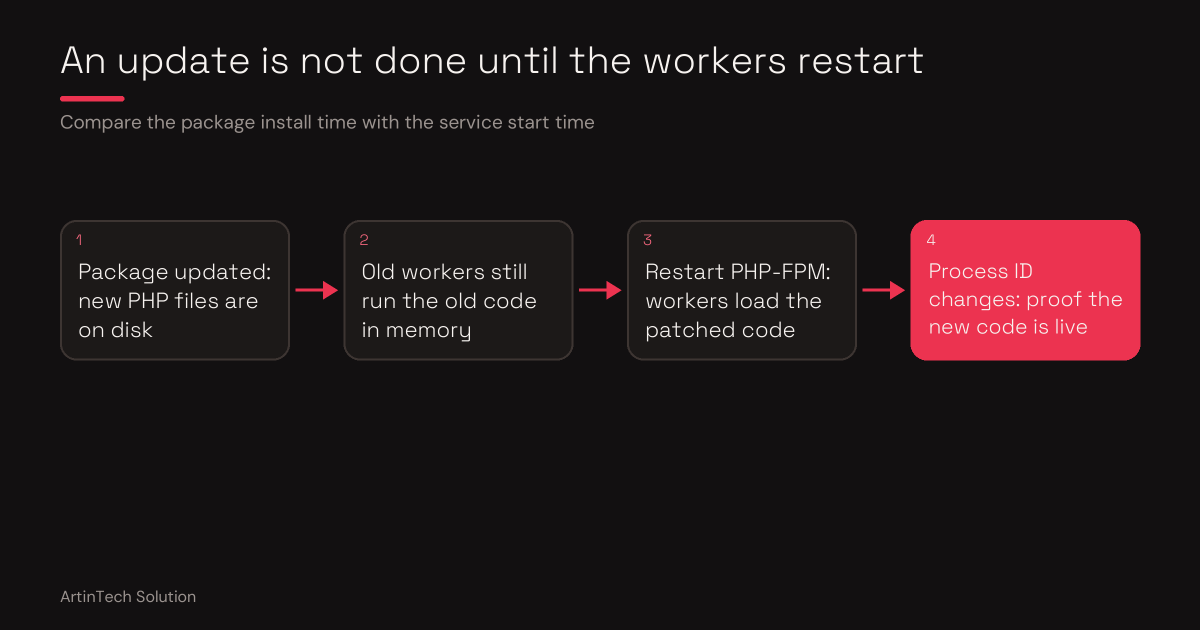
On a VPS, the PHP security update is your job, and it has a trap: new files on disk do not change the code your running PHP-FPM workers use. This guide uses Ubuntu 24.04 and PHP 8.3 as the example. Adjust the version numbers to your server.
1. See where your PHP comes from
apt policy php8.3-fpmUbuntu 24.04 typically shows a version like 8.3.6-0ubuntu0.24.04.x from the official security repository. That looks old next to the upstream fix in 8.3.36, but Ubuntu patches inside the version number.
2. Update the packages
Use the names of the PHP packages actually installed on your server.
apt update
apt install --only-upgrade <your installed php8.3 packages>
If the answer is that the newest version is already installed, you already have the latest patched build from Ubuntu.
3. Read the proof in the changelog
zcat /usr/share/doc/php8.3-fpm/changelog.Debian.gz | head -4A patched package says Security update and names CVE-2026-109618 and CVE-2026-109619. On Linux the changelog is the proof, not the version number.
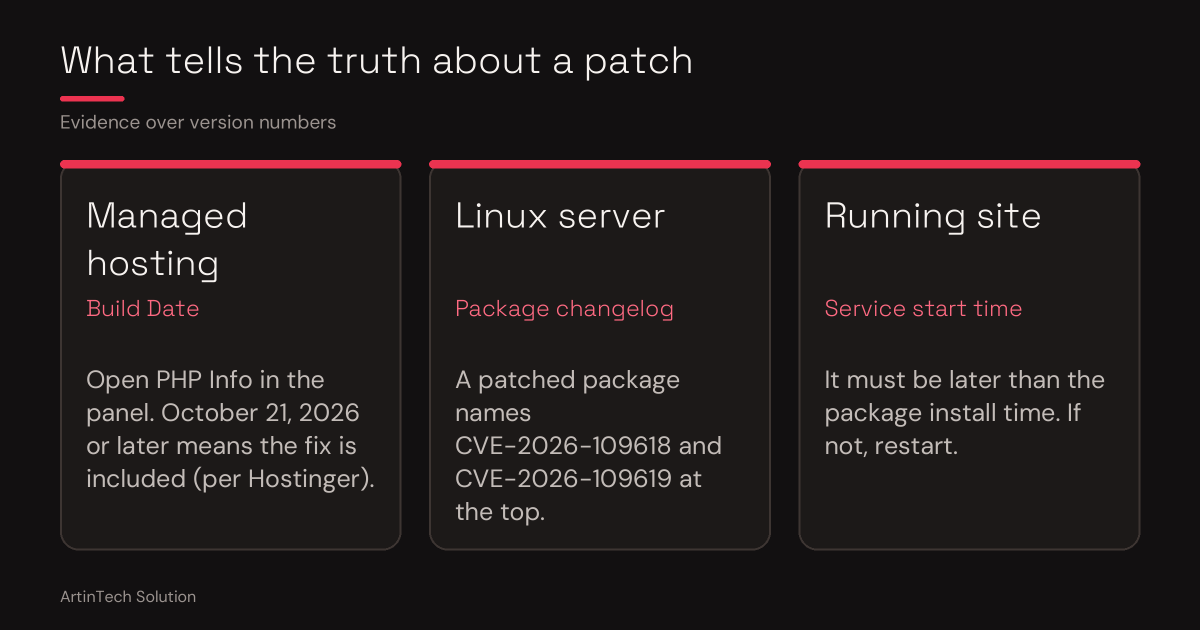
4. Check that the workers are running the new code
grep php8.3-fpm /var/log/dpkg.log | tail
systemctl status php8.3-fpm
If the service start time is older than the package install time, restart it:
systemctl restart php8.3-fpmRestart queue workers and other long-running app processes too. If your app has an admin-only status page, the worker process ID should change after the restart.
5. Optional stopgap for CVE-2026-115560
A third flaw, CVE-2026-115560, was disclosed on October 23 without an emergency patch at the time. PHP advises turning off session upload progress until a fix lands. Set it in the server config, not with ini_set in code.
echo "session.upload_progress.enabled=0" > /etc/php/8.3/fpm/conf.d/99-php-hardening.ini
systemctl restart php8.3-fpm
php-fpm8.3 -i | grep upload_progress.enabled
This is a temporary measure, not a replacement for the update. Running Docker? Update the base image, rebuild and redeploy the containers.
Why a restart can go wrong
Restarting PHP-FPM drops in-flight requests, a bad configuration file can stop the service from starting, and queue workers can be forgotten. On a production server serving customers, that is where mistakes cost money.
Let ArtinTech Solution run it
- Updates PHP packages and reads the changelog proof
- Restarts PHP-FPM, queue workers and app processes in a safe order
- Verifies the running workers use the patched code
- Applies and tests temporary mitigations where an update is not yet possible
- Hardens the server and checks it for signs of a prior compromise
Don't want to risk your server security? Hire ArtinTech Solution experts today for professional security audits, PHP upgrades, and emergency fixes.