
When the PHP project released emergency fixes on October 21, 2026, the two hosting models behaved very differently. The difference is not that one is secure and the other is not. It is who does the work.
Managed and shared hosting
On managed hosting your provider patches PHP. Hostinger says it deployed the fix across all of its hosting plans except VPS by October 22, so customers on those plans did not have to do anything. Your job is to verify the fix (the Build Date on the PHP Info page should be October 21, 2026 or later) and to keep your site on a supported PHP version.
Managed hosting does not protect you from your own application. Outdated plugins, weak admin passwords and forgotten files remain your responsibility.
VPS and dedicated servers
On a VPS you control the whole server, and you carry the whole security duty. Hostinger's own VPS guidance says customers must update PHP and restart it themselves. That means updating packages, restarting PHP-FPM and queue workers, confirming the running workers use the patched code, and watching for new announcements.
Side by side
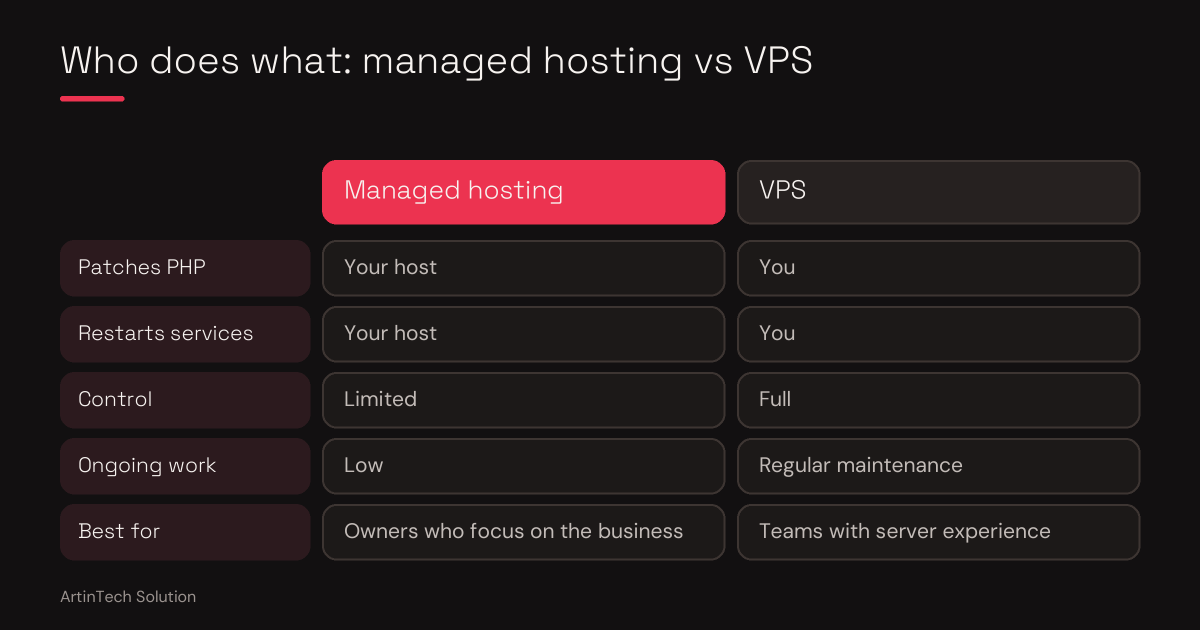
- Who patches PHP: managed hosting, your host. VPS, you.
- Who restarts services: managed hosting, your host. VPS, you.
- Control and flexibility: managed hosting, limited. VPS, full.
- Time cost: managed hosting, low. VPS, ongoing.
- Best for: managed hosting, owners who want to focus on the business. VPS, teams with server experience.
Which one fits your business
If nobody on your team is comfortable with a terminal, a VPS is a liability, not an upgrade. Managed hosting takes the patching chore off your plate, and a build-date check takes under a minute. If you do need a VPS for performance or custom software, plan for ongoing maintenance, not a one-time setup.
Where ArtinTech Solution helps
- On managed hosting: verify your patch state, move you to a supported PHP version and fix the code that breaks
- On a VPS: update PHP, restart services, verify the result and harden the server
- Not sure which to choose: we review your site and recommend the setup that fits, including a move between the two
Don't want to risk your server security? Hire ArtinTech Solution experts today for professional security audits, PHP upgrades, and emergency fixes.