

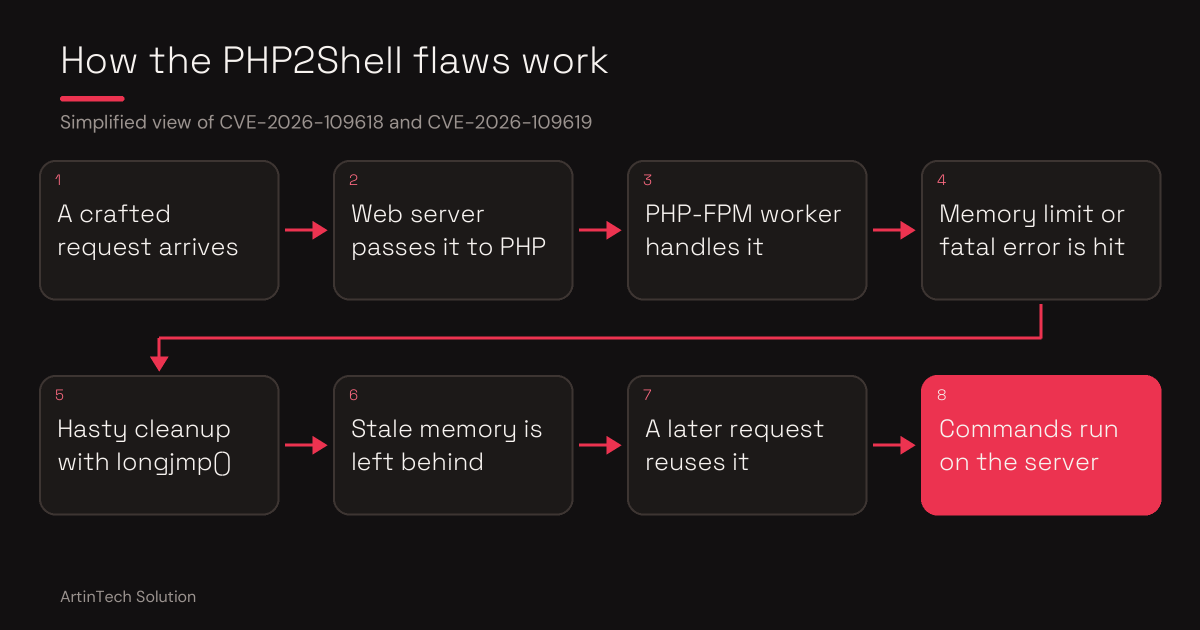
If your website brings in orders, leads or bookings, a critical PHP flaw is a business problem, not just a server detail. On October 21, 2026, the PHP project released emergency fixes for CVE-2026-109618 and CVE-2026-109619, two core flaws nicknamed PHP2Shell. Both score CVSS 9.2 and can lead to remote code execution, meaning an attacker runs commands on your server.
What is at stake for your business
In the worst case, an attacker who controls your server can read customer data, plant malware that damages your search rankings, or take your site offline. The flaw sits in PHP itself, so updating a WordPress plugin or changing your own code does not close it. Only a patched PHP does.
The number on your screen can mislead you
A hosting account may show PHP 8.2.34 while the fix shipped in 8.2.35, and still be fully patched, because hosts and Linux distributions often put the fix inside the old version number. The opposite also happens: the number looks right, but the web server's workers are still running old code in memory. Checking the version alone is not enough.
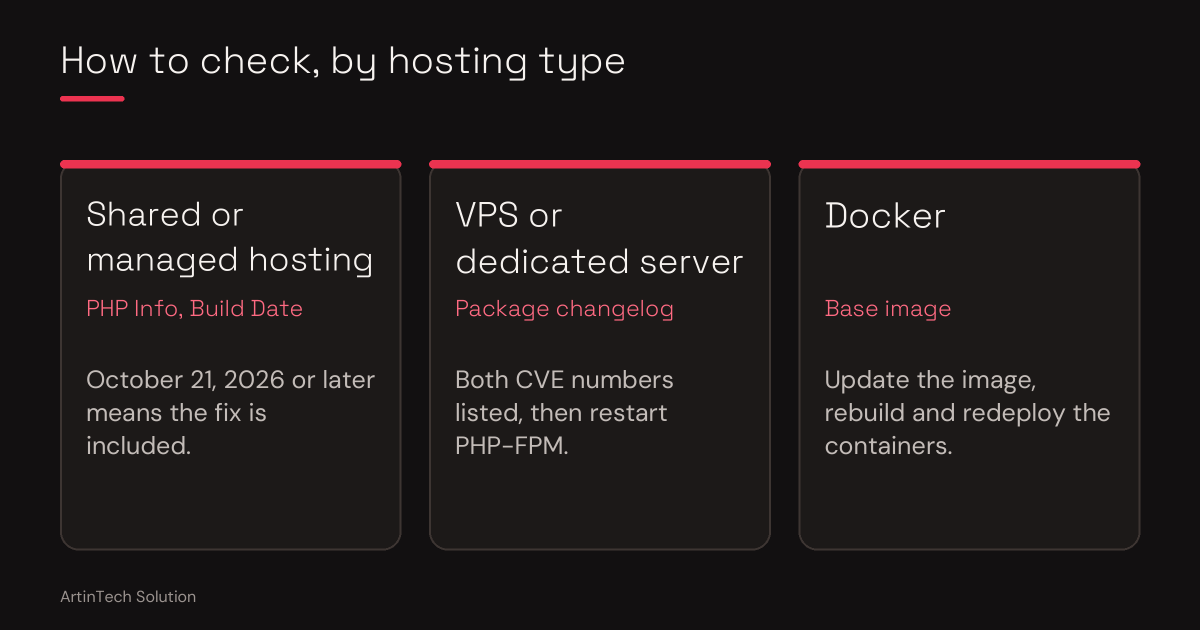
How to check, in two minutes
- Shared or managed hosting: open the PHP Info page in your control panel and read the Build Date. Hostinger says a build date of October 21, 2026 or later means the fix is included.
- VPS or dedicated server: read the package changelog for both CVE numbers, then confirm PHP-FPM was restarted after the update.
zcat /usr/share/doc/php8.3-fpm/changelog.Debian.gz | head -4
systemctl status php8.3-fpm
If you are unsure what you are looking at, that is exactly what an audit is for.
What ArtinTech Solution does for you
- Confirms which PHP your website actually runs, not only the command-line PHP
- Verifies the patch from the build date and package changelog, not the version label
- Checks that running PHP workers were restarted and use the patched code
- Applies temporary protections when an immediate update is not possible
- Checks for signs that someone got in before the patch
- Upgrades unsupported PHP versions and fixes the code that breaks
See our web and custom development services for the wider picture.
Not sure? Do not guess.
Don't want to risk your server security or legacy PHP code? Hire ArtinTech Solution experts today for professional security audits, PHP upgrades, and emergency fixes.