
A newspaper page in an e-paper is a large image: 2,000 pixels on the long side, full of small type. A reader flicks through ten or twenty of them, often on a phone with a patchy connection. When we built version 1.1 of Inkfold, our self-hosted e-paper platform, page speed was the first thing we rewrote.
Store every page three times
On upload, each page is re-encoded with GD into three files: the full page, a medium version about 1,100 pixels wide, and a thumbnail for the page strip. The format is chosen once per server: WebP when the PHP build supports it, JPEG otherwise. On our test editions WebP cut the page weight by roughly a third at the same visual quality, which matters more than any other optimisation on a page-heavy site.
Re-encoding also strips anything we did not ask for, such as embedded colour profiles and camera metadata, and it flattens transparency onto white so a PNG export from the layout program never shows a black background.
Medium first, full size only when it is needed
The reader shows the medium image by default. At normal viewing size it is indistinguishable from the original, and it is a fraction of the bytes. When the reader zooms in, the script compares the displayed width, multiplied by the device pixel ratio, with the image’s natural width. Once the page is shown noticeably larger than the medium file can support, it quietly loads the full image in the background and swaps it in when it has arrived.
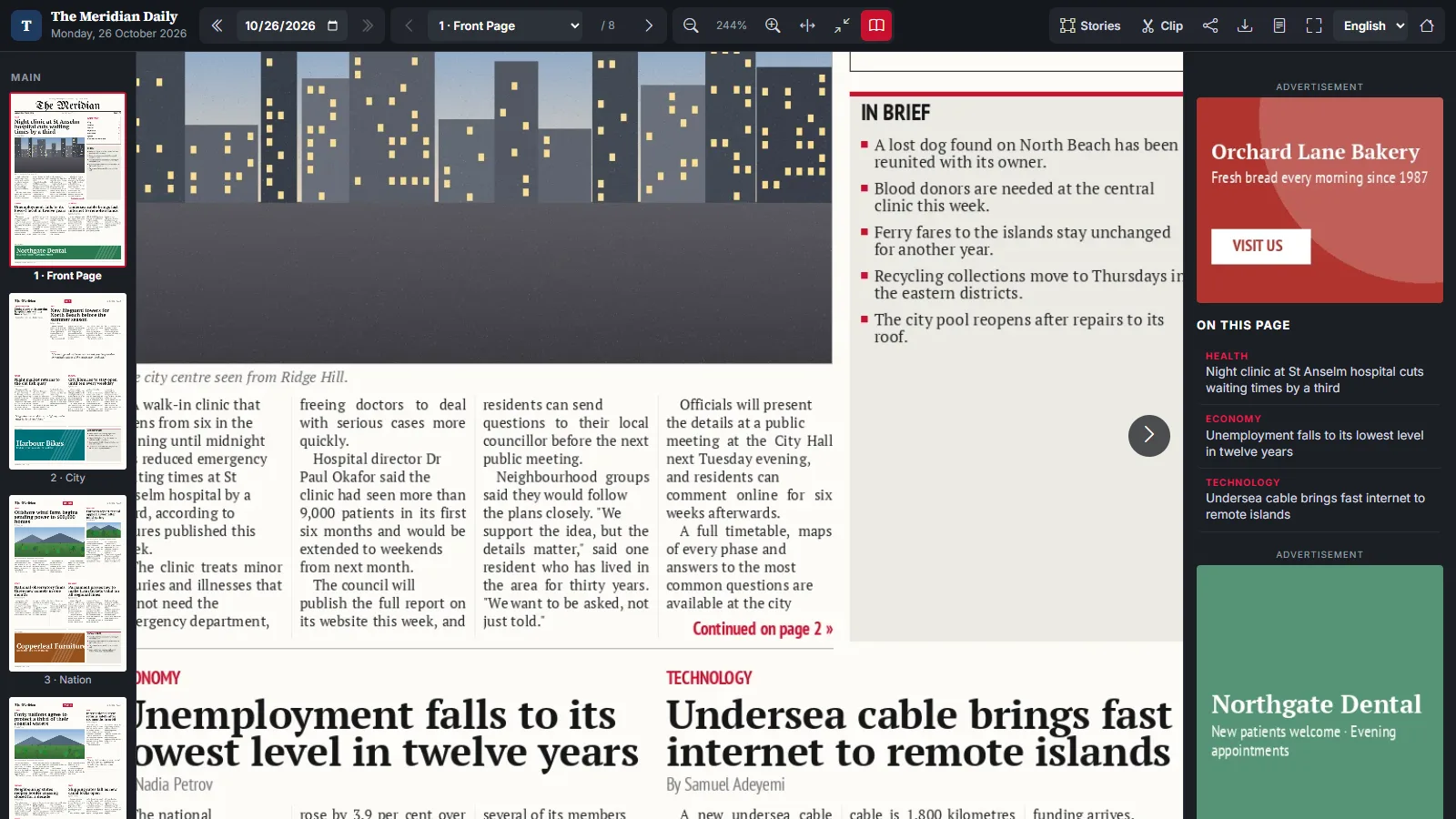
Readers who never zoom never download the full page. Readers who do get a sharp page without waiting, because the medium image stays on screen until the larger one is ready. The next pages in the edition are preloaded at medium size, so turning a page feels instant.
Cut stories once, then cache them
Every story region can be opened as its own image, for the story pop-up and for sharing. Those crops used to be generated on each request. Now the first request cuts the region and stores it on the media disk under a name that includes a hash of the region and the page image, so a redrawn region or a replaced page automatically gets a new file. Responses carry a week-long cache header.
Media on any disk, or behind a CDN
All file access goes through one helper instead of a hard-coded local disk. Setting INKFOLD_DISK=s3 moves page images, PDFs and clips to Amazon S3, Cloudflare R2 or DigitalOcean Spaces. For publishers who prefer to keep files local, INKFOLD_MEDIA_URL points the image URLs at a pull CDN such as Cloudflare or Bunny with the site as origin. File names keep a 20-character random part, so premium pages cannot be guessed whichever storage is used.
Key takeaways
- Encode once on upload, in three sizes, and let the server pick WebP when it can.
- Show a medium image first; load the full page only when zoom makes the difference visible.
- Cache generated crops on the media disk with a key that changes when the source changes.
- Route all file access through one abstraction so S3 or a CDN is a configuration change.
Next in this series: a two-page spread viewer that keeps both pages the same height. You can try everything described here in the Inkfold live demo, and the software itself is available on Charming Theme.
Publishing a newspaper or magazine online and fighting slow page loads? Let’s Talk — ArtinTech Solution builds and tunes exactly this kind of publishing software.