

🌐 Read this article in another language: English · Español · Deutsch · Français · Bahasa Melayu · العربية · 简体中文 · 日本語
Choosing a website platform feels like a design decision, but it is really a business decision. The platform decides how fast you can launch, what you can change later without a developer, how much you pay every month, and whether you can take your site with you if you ever leave.
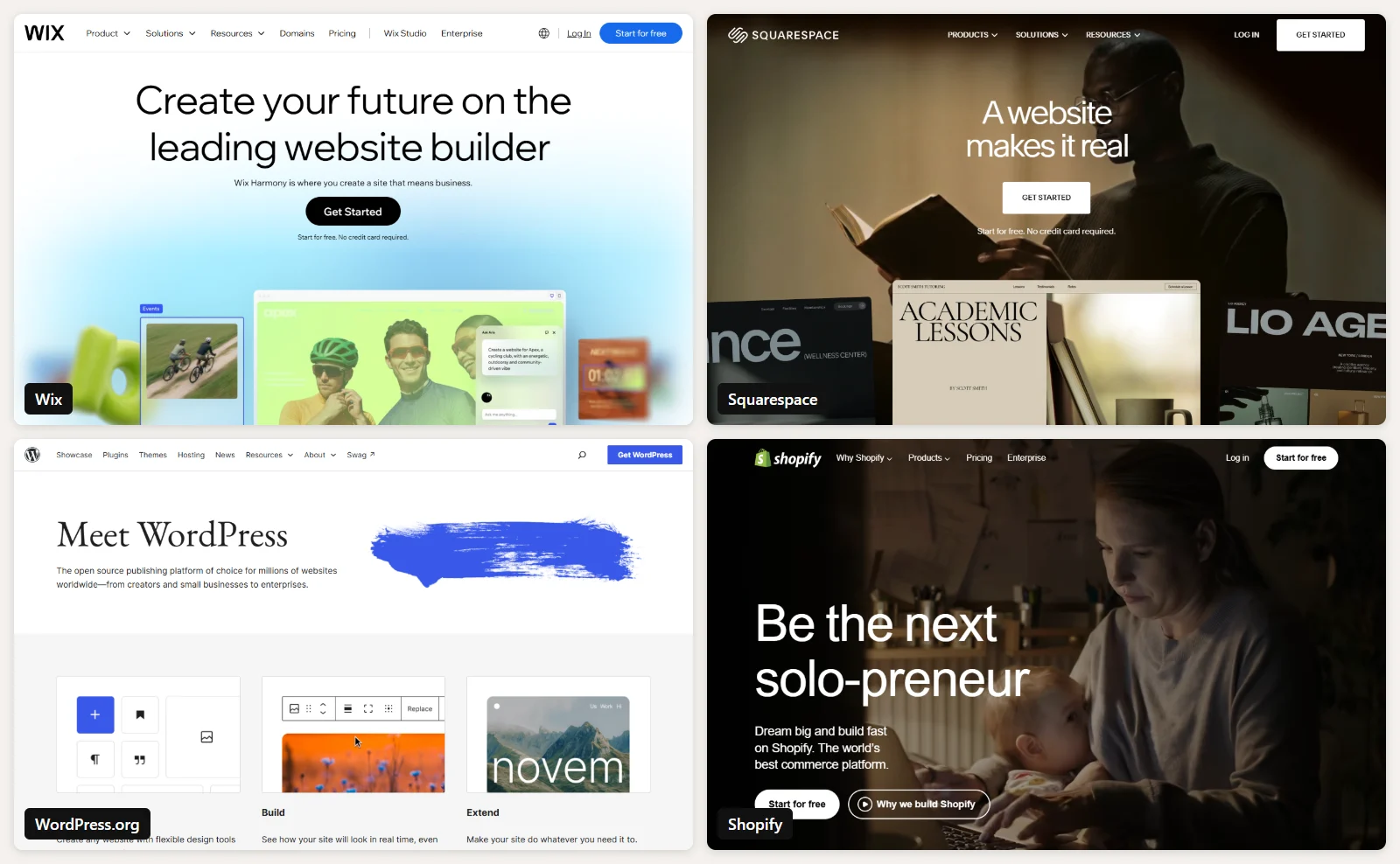
Wix, Squarespace, WordPress and Shopify are the four names that come up in almost every conversation we have with new clients. All four are good. They are simply good at different things. This guide compares them on the points that actually matter once the site is live, and ends with a clear recommendation for each type of business.
The short answer
- Choose Wix if you want the fastest route to a good-looking small business site and are happy to stay inside one company’s ecosystem.
- Choose Squarespace if design quality matters most and your site is mainly a portfolio, a service business or a simple shop.
- Choose WordPress if you want full ownership, unlimited flexibility, strong SEO control and a site that can grow into something bigger.
- Choose Shopify if selling products online is the core of your business.
The rest of this article explains why.
What each platform actually is
Wix is a hosted, drag-and-drop website builder. You pick a template, move elements anywhere on the page, and Wix handles hosting, security and updates. It also offers Wix Studio for agencies and designers who need more control.
Squarespace is also hosted, but it is known for polished, opinionated templates. You get fewer layout choices than on Wix, and in return it is harder to make a Squarespace site look bad.
WordPress here means WordPress.org, the free, open-source software that powers more than 40% of all websites. You install it on hosting you choose, and you can change anything: design, features, code and data. That freedom comes with responsibility for updates, backups and security.
Shopify is a hosted e-commerce platform. It can run a content site, but everything about it is designed around products, checkout, inventory and orders.
Side-by-side comparison
| Wix | Squarespace | WordPress | Shopify | |
|---|---|---|---|---|
| Ease of use | Very easy | Easy | Moderate | Easy for stores |
| Design freedom | High, within its editor | Medium, template-led | Unlimited | High for stores |
| E-commerce | Good for small shops | Good for small shops | Excellent with WooCommerce | Best in class |
| Blogging | Good | Good | Best in class | Basic |
| SEO control | Good | Good | Full | Good |
| Hosting and security | Included | Included | Your responsibility | Included |
| Ownership and portability | Limited | Limited | Full | Limited |
| Typical monthly cost | From about $17 | From about $16 | About $5 to $30 plus extras | From about $39 |
Prices are the entry-level plans billed annually, checked in March 2024. All four companies change their pricing regularly, so confirm current prices before you commit.
Ease of use
Wix is the easiest place to start. You can drag a button or image anywhere and see the result immediately. Squarespace is almost as simple, but its section-based editor keeps you inside the template’s structure, which prevents a lot of design mistakes.
Shopify is easy for anything related to selling: adding products, setting shipping rates, taking payments. It gets harder when you want a page layout the theme was not designed for.
WordPress has the steepest learning curve because you choose and connect the pieces yourself: hosting, theme, plugins. With a well-built theme and a page builder, day-to-day editing is straightforward, but the initial setup benefits from someone who has done it before.
Design and flexibility
Wix gives you pixel-level freedom inside its editor. Squarespace gives you fewer choices but a consistently professional result. Shopify themes are excellent for product pages and collections.
WordPress is the only one of the four where there is no ceiling. Any design can be built, any feature can be added, and custom functionality can be written as a plugin when nothing off the shelf fits. That is why growing businesses often end up on WordPress even if they started elsewhere.
Selling online
If e-commerce is central to your business, Shopify is the safest choice. Its checkout is fast and trusted, it handles taxes, shipping, inventory and multiple sales channels, and its app store covers almost every need. Keep in mind that Shopify charges an extra transaction fee if you use a third-party payment provider instead of Shopify Payments.
WordPress with WooCommerce is the strongest alternative, especially when you need unusual checkout rules, local payment methods or tight integration with other systems. Wix and Squarespace are perfectly fine for a small catalogue but become limiting as the store grows.
SEO and content
All four platforms let you edit titles, meta descriptions, URLs and image alt text, and all four can rank well. The difference is how much control you have when you need to go further.
WordPress, with a plugin such as Yoast SEO, gives you complete control over structured data, sitemaps, redirects, multilingual content and page speed. It is also the best blogging platform of the four, which matters because consistent, useful content is still one of the most reliable ways to earn search traffic.
Ownership and the cost of leaving
This is the point most people overlook. With Wix, Squarespace and Shopify, your site lives on their platform. You can export some content, but you cannot take the design and functionality to another host. If prices rise or a feature disappears, your options are limited.
With WordPress you own the files and the database. You can move to a different host in an afternoon and hire any developer to work on it.
Real costs over time
The entry prices above are only the beginning. On Wix and Squarespace, the plan price covers most of what a small site needs. On Shopify, paid apps and premium themes add up quickly. On WordPress, hosting is cheap, but premium plugins, a good theme and ongoing maintenance are real costs, whether you pay with money or with your own time.
A fair comparison looks at three years, not three months: plan or hosting fees, apps or plugins, design work, and the hours someone spends keeping the site running.
Our recommendation
- Local service business or personal brand: Wix or Squarespace, unless you plan to publish a lot of content.
- Content-driven business, blog or agency: WordPress.
- Online store with more than a handful of products: Shopify, or WordPress with WooCommerce if you need custom checkout logic or local payment methods.
- Any business that expects to outgrow its first site: WordPress, because you will never have to rebuild from scratch to add what you need.
At ArtinTech Solution we build on both WordPress and Shopify, so we have no reason to push you toward one or the other. If you want a second opinion before you commit, get in touch.
Frequently asked questions
Is WordPress really free?
The WordPress software is free. You still pay for hosting, a domain name and, usually, a premium theme or some plugins. A small WordPress site can run for less than a Wix plan, while a large one costs more because of development and maintenance.
Can I move from Wix or Squarespace to WordPress later?
Yes, but it is a rebuild rather than a transfer. Text and images can be moved, while the design and layout must be recreated. Plan redirects from the old URLs so you keep your search rankings.
Which platform is best for SEO?
All four can rank. WordPress gives you the most control over technical SEO and content, which is why it is usually the best choice when organic search is a major source of customers.
Is Shopify only for large stores?
No. Shopify has plans suitable for small stores too. It becomes the clear winner once you have many products, multiple sales channels or significant order volume.