
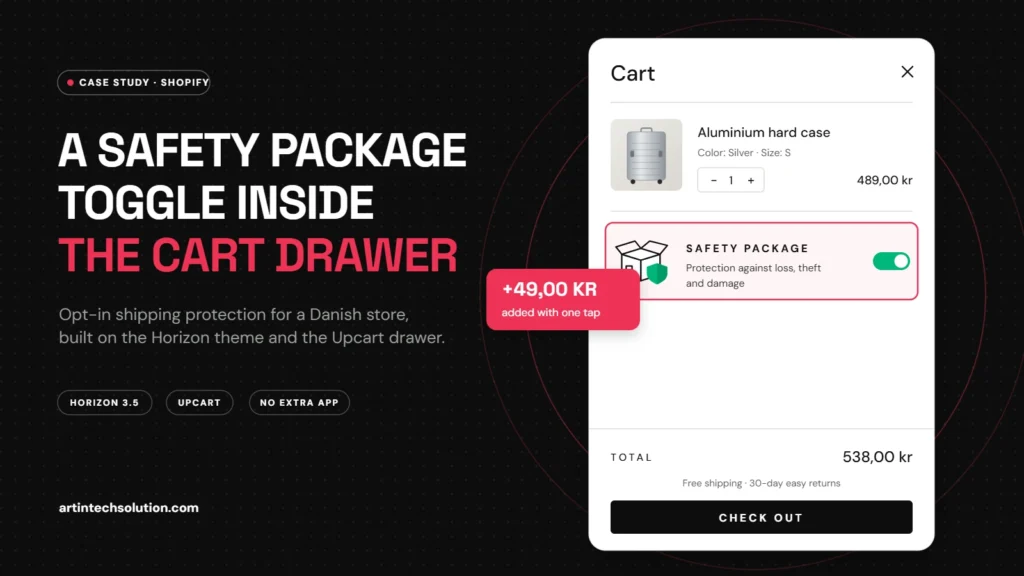
The message arrived on a Wednesday morning, with a screenshot and a block of old code attached. The owner of a Copenhagen online store selling aluminium luggage and travel goods, which we will call Havn & Co., had seen something in a competitor’s cart drawer and wanted it too: a small box under the products that says Safety package: protection against loss, theft and damage, with a switch the customer can flip on before checkout.
We want it exactly like this, the message said, and we want to change the text, the image and the colours ourselves. No new app, please. This case study walks through how we built that Shopify shipping protection toggle: what the feature does, why every part of it is there, the surprise we found on the live store, and every option we added to the theme editor.
About this case study: it is based on real Shopify project work for a Danish client. The store name has been changed and the images are illustrations. The features, settings and tests are described exactly as delivered.
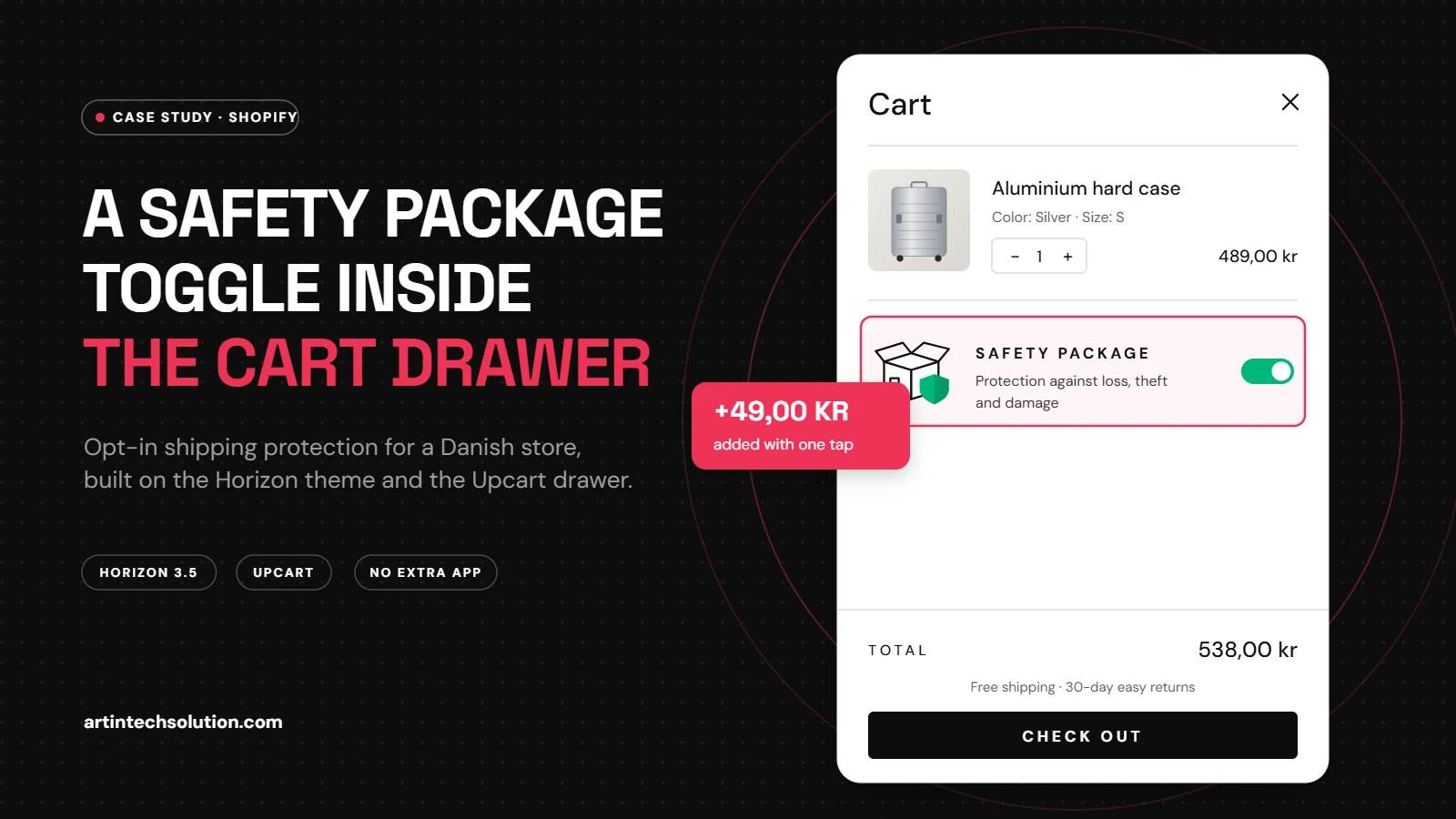
The project at a glance
| Client | Danish online store, luggage and travel goods, prices in DKK |
| Platform | Shopify, Horizon theme 3.5, Upcart cart drawer app |
| Feature | Opt-in “Safety package” (shipping protection) switch inside the cart drawer |
| Delivered | 1 snippet, 1 script, 1 stylesheet, a new Safety package group in theme settings, small additive edits to 4 theme files |
| Constraints | No extra protection app, no theme switch, fully editable in the theme editor, Danish text |
The brief: what the store asked for
From the screenshot, the code sample and a short call, we wrote the request down as five concrete needs:
- A protection box in the cart drawer, directly under the products, with an icon, a title, a short description and an on/off switch.
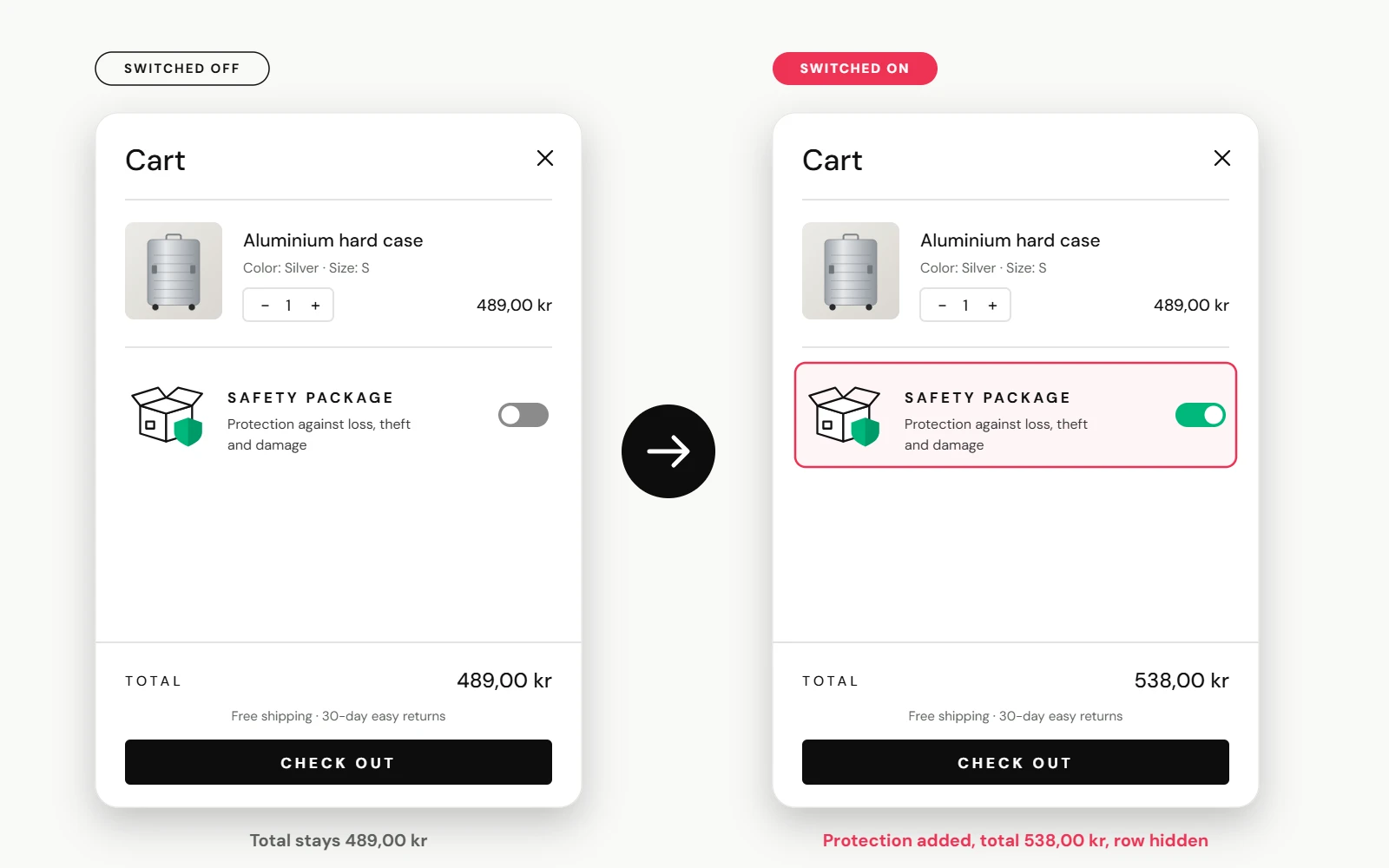
- One tap to add or remove it, with the cart total updating instantly and no page reload.
- A clean cart: the protection should not appear as a confusing extra product row.
- Full control in the theme editor: text, image, sizes, colours and the price product, without touching code.
- Danish wording on the storefront: Sikkerhedspakke and Beskyttelse mod tab, tyveri og skade.
What a shipping protection toggle is, and why stores add one
A shipping protection toggle lets the customer choose, at the last step before checkout, to pay a small fee for cover against a parcel being lost, stolen or damaged. Behind the switch is an ordinary Shopify product (in our illustrations it costs 49 kr) that is added to or removed from the cart.
For a store selling suitcases that can cost several hundred kroner, it does three useful things at once:
- Peace of mind at the right moment. The question “what if it gets lost?” is answered right next to the checkout button, where hesitation happens.
- Extra revenue per order. Every customer who opts in adds the fee to the order, and the store decides how to use it to cover claims.
- Fewer support conversations. When a parcel goes missing, there is already a clear agreement about what is covered.
One rule shaped the whole design: in the EU, an extra paid option must be chosen by the customer, not pre-selected. The Consumer Rights Directive (2011/83/EU, Article 22) says a shop cannot rely on a pre-ticked box for extra payments. That is why the switch is off by default, and why the optional auto-add mode is clearly labelled in the settings and always respects a customer who turns it off.
The twist: the cart drawer was not the theme’s
Our first version plugged the box into the cart drawer of the Horizon theme. It worked in the code, but when the client looked at the live store, it was nowhere to be seen. The reason: the store uses Upcart, a cart drawer app that replaces the theme’s drawer completely and draws its own, sealed off from the theme’s styles.
Instead of asking the client to paste code into the app, we inspected the live storefront, confirmed which Upcart functions were available, and changed the approach: the theme still holds all the settings, and a small script places the Safety Package box inside Upcart’s drawer, keeps it there when Upcart redraws, and asks Upcart to refresh after every change. The theme drawer version stays in place as a fallback if the store ever removes Upcart.
The features, one by one
1. A one-tap switch with an instant total
What: flipping the switch adds or removes the protection product through Shopify’s cart API, then the drawer and the cart count refresh. Why: a page reload at this moment breaks the flow and costs sales. The customer sees the new total in about a second.
2. A hidden protection line
What: the protection product is hidden from the list of cart items, in both Upcart and the theme’s own cart. Why: a second “product” row with its own quantity buttons confuses customers. The box itself already shows the state, and the price is still part of the total and the order.
3. Smart cart rules
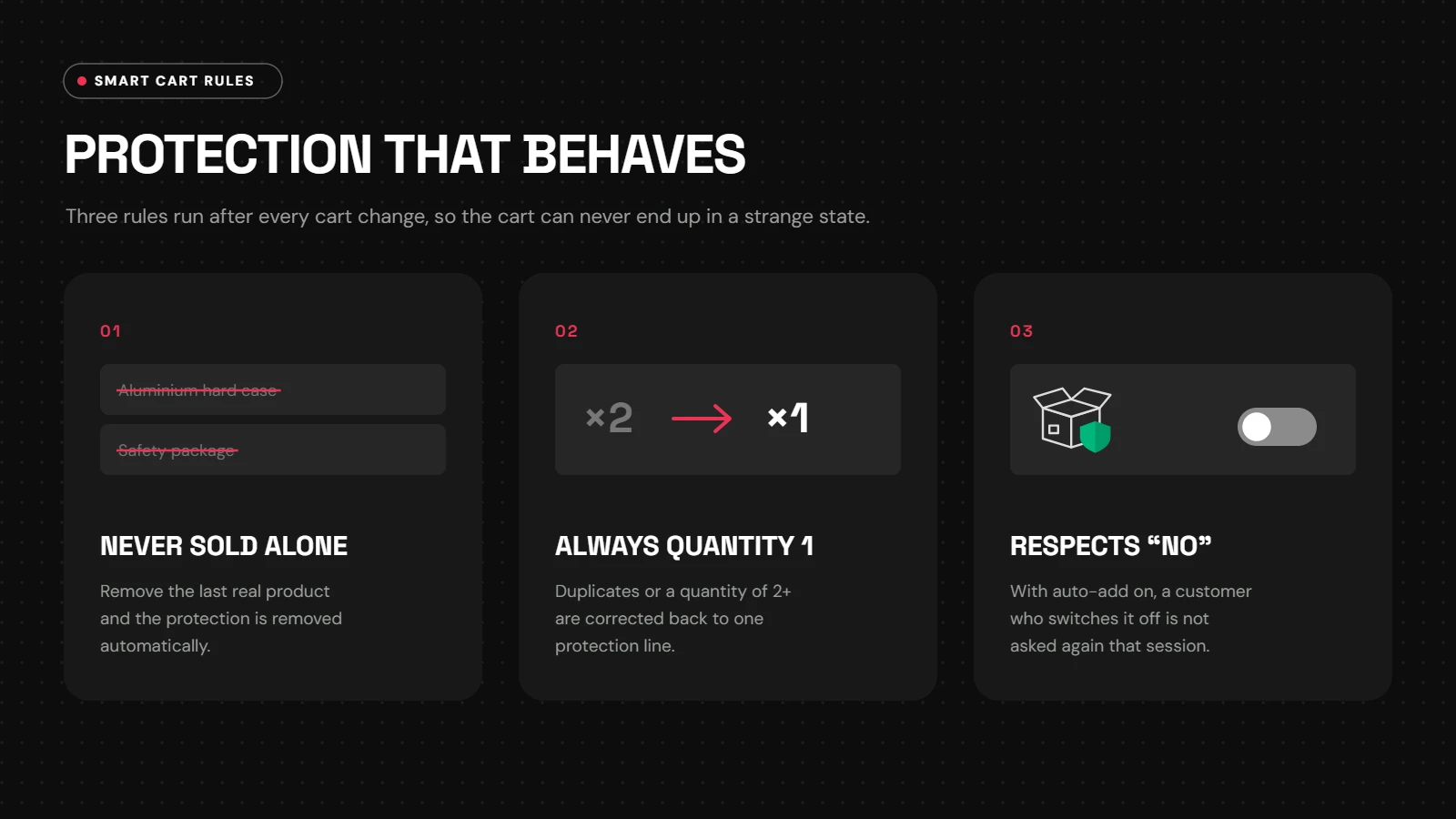
What: after every cart change, three rules run automatically. Why: a cart must never end up in a strange state, such as protection being bought on its own.
- Never sold alone: if the customer removes the last real product, the protection is removed too.
- Always quantity 1: duplicates or a quantity above one are corrected.
- Respects “no”: with auto-add on, a customer who switches protection off is not asked again during that visit.
4. Works with Upcart and with the theme
What: the same feature runs in the Upcart drawer, in the Horizon theme drawer and on the full cart page. Why: merchants change apps. The protection box should survive that decision without a rebuild.
5. Lightweight, owned code
What: one small script and one stylesheet, loaded by the theme. Why: no monthly fee for another protection app, no extra third-party script on every page, and the code lives in the merchant’s own theme.
Every option we added to the theme editor
All settings live in one new group: Online Store → Themes → Customize → Theme settings → Safety package. The merchant can change everything below without a developer.
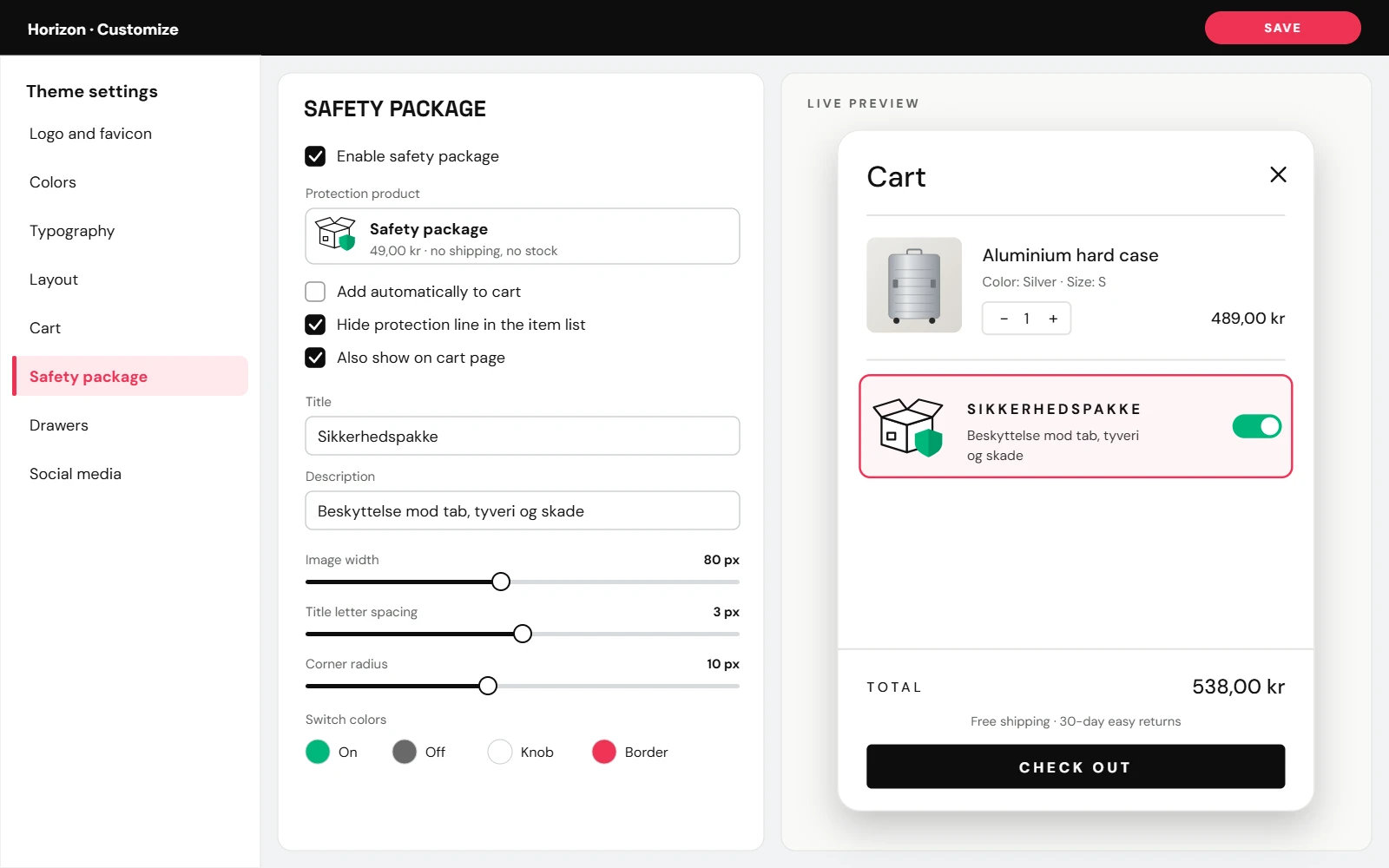
| Group | Setting | What it does |
|---|---|---|
| General | Enable safety package | Turns the whole feature on or off |
| Protection product | The product (and price) that is added to the cart | |
| Add automatically to cart | Optional auto-add, off by default; remembers when a customer opts out | |
| Hide protection product in the item list | Keeps the cart clean | |
| Also show on cart page | Shows the box on the full cart page too | |
| Content | Image, image width | Upload your own image, or use the built-in box-and-shield icon |
| Default icon shield colour | Colour of the shield on the built-in icon | |
| Title, description | Any wording, in any language | |
| Show price next to title | Displays the protection price | |
| Typography | Title size, letter spacing, uppercase, description size | Match the store’s typography |
| Box style | Text and background colour, divider, border width and colour, corner radius, padding, side margin in Upcart | Match the drawer design |
| Switch | On, off and knob colours | A brand-coloured switch |
How it works under the hood
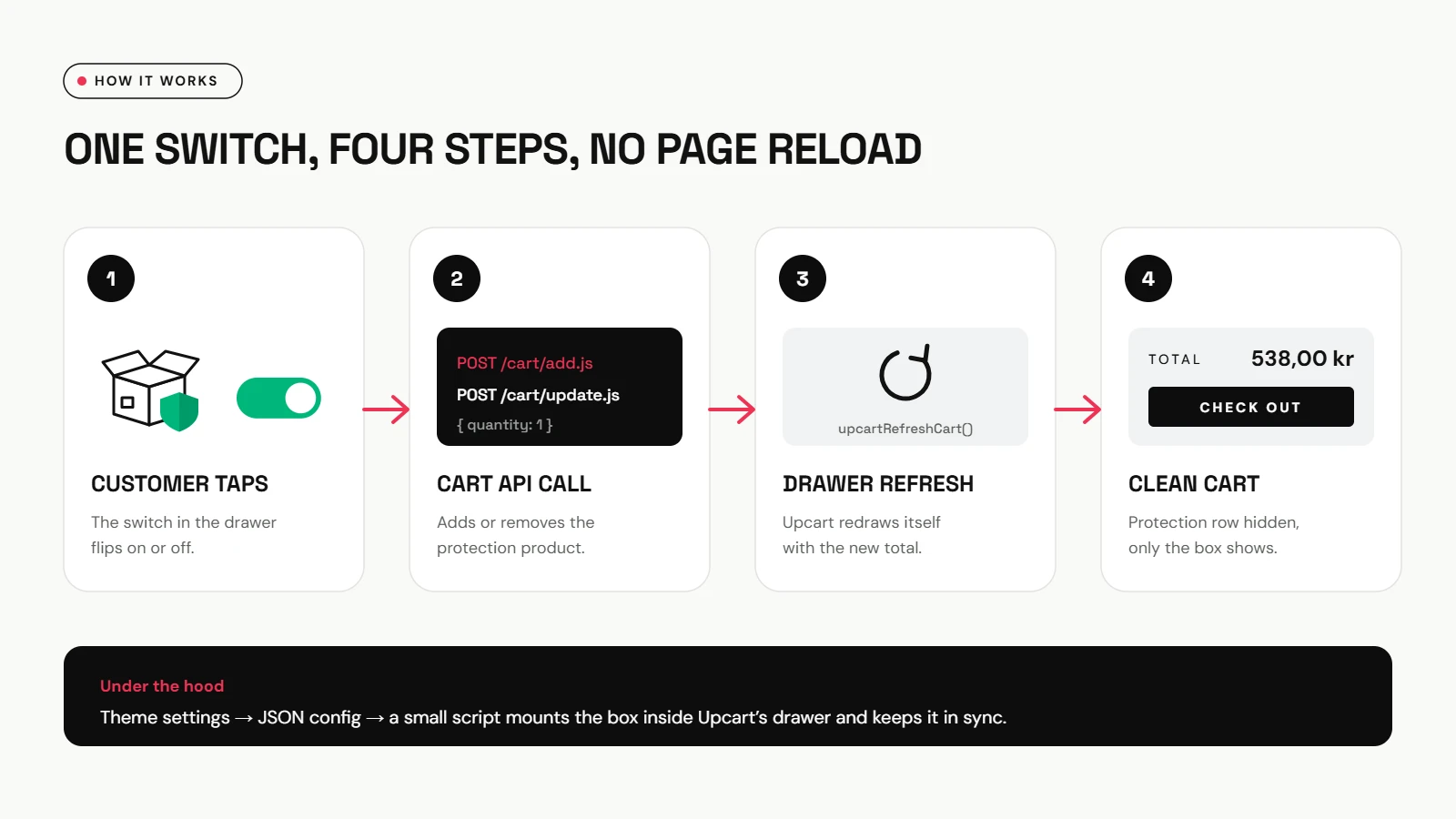
For readers who build Shopify stores themselves, the short version: the theme prints the settings as a small JSON block and an HTML template. The script reads them, waits for Upcart to load, then mounts the box below Upcart’s product list. A MutationObserver puts the box back whenever Upcart re-renders. Toggling calls the standard cart endpoints and then refreshes the drawer:
// switch on
await fetch('/cart/add.js', {
  method: 'POST',
  headers: { 'Content-Type': 'application/json' },
  body: JSON.stringify({ items: [{ id: protectionVariantId, quantity: 1 }] }),
});

// let the Upcart drawer redraw with the new total
window.upcartRefreshCart?.();
The protection line is hidden by matching its variant ID, which Upcart includes in each line item’s ID. Cart requests run in a queue, so tapping the switch quickly several times can never create a race.
Testing on the live store
Before handing over, we tested the behaviour on the real storefront in an isolated browser session, using a stand-in product so no real order was created:
| Test | Result |
|---|---|
| Add a product and open the drawer | The box appears under the item, switched off |
| Switch on | Protection added, its row hidden, total updated |
| Switch off | Protection removed, total back to the product price |
| Switch on, then delete the last real product | Protection removed automatically, cart empty |
What the client got
- A Safety Package box that looks like the reference they sent, in Danish, inside the drawer their customers actually see.
- A settings group they can edit in minutes: text, image, colours, sizes and the price product.
- No new monthly app subscription for the protection feature.
- Rules that keep every cart valid, and an opt-in design that fits EU consumer rules.
- A simple guide for creating the protection product and turning the feature on.
Custom feature or protection app?
| Protection app | Custom toggle | |
|---|---|---|
| Monthly cost | Usually a subscription or a share of each fee | One-time build, then free to run |
| Design | The app’s widget, limited styling | Your exact design, set in the theme editor |
| Cart drawer | May not support every drawer app | Built for your drawer (Upcart here) and the theme |
| Claims handling | Often managed by the app provider | Handled by the store itself |
| Best for | Stores that want claims outsourced | Stores that want control and a branded experience |
Neither option is always right. If a store wants a third party to handle claims, an app makes sense. If it wants the fee, the wording and the look under its own control, a custom toggle is lighter and cheaper over time.
What else can live in your cart drawer?
The same pattern (a setting in the theme editor, a small script, a product or cart attribute behind it) works for many other add-ons that raise order value or reduce questions:
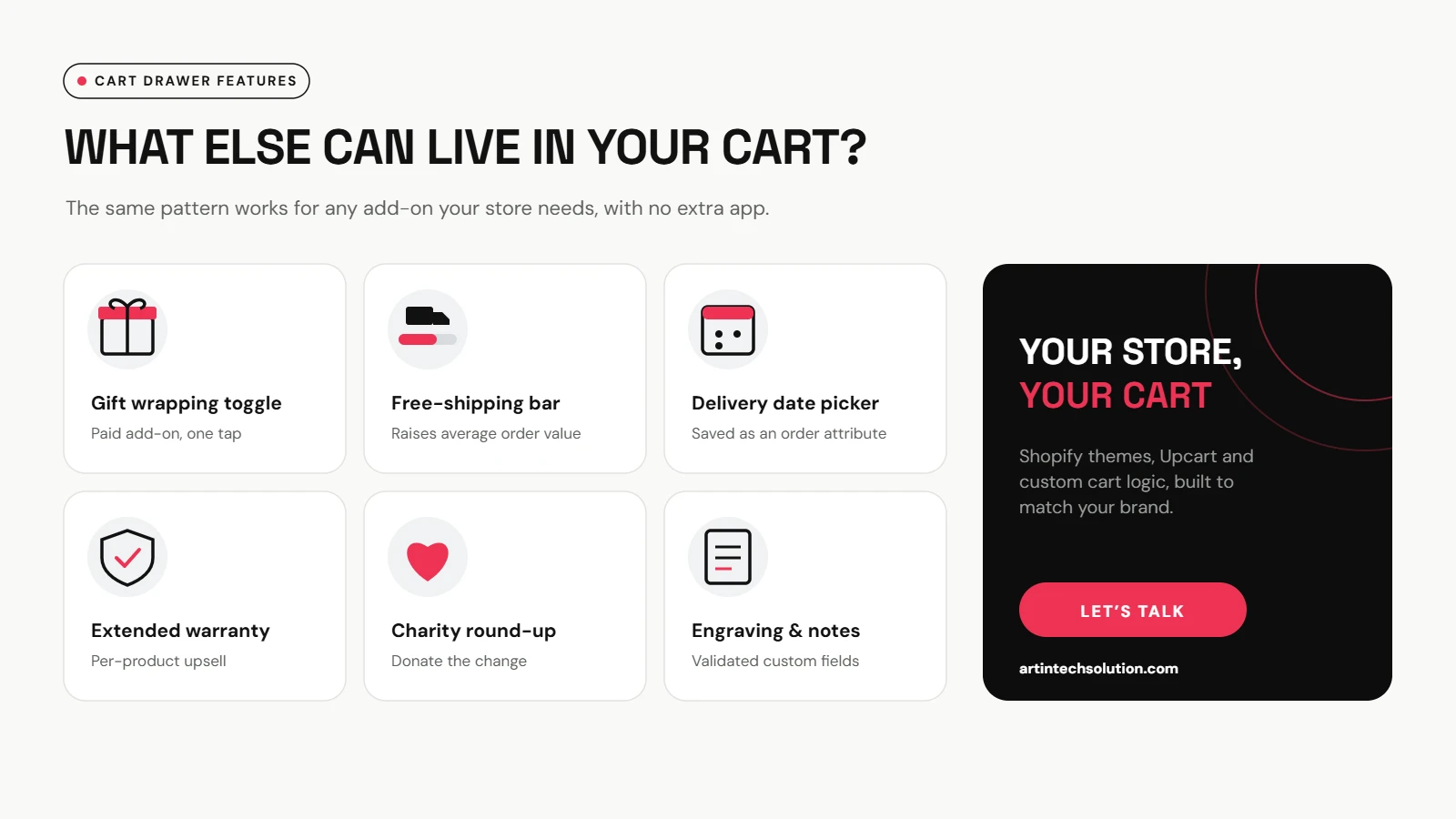
- Gift wrapping toggle as a paid add-on.
- Free-shipping progress bar that nudges customers to add one more item.
- Delivery date picker saved on the order.
- Extended warranty offered per product.
- Charity round-up that donates the change.
- Engraving and order notes with validation.
Frequently asked questions
Does this work with Upcart?
Yes. The box is placed inside Upcart’s drawer and stays in sync when Upcart redraws. It also works in the theme’s own drawer and on the cart page.
Is it legal to add protection automatically in the EU?
Extra paid options must be chosen by the customer, so the switch is off by default. Auto-add is optional; a store that enables it should take its own legal advice.
Can the price be a percentage of the cart?
Out of the box it is a fixed price, set on the protection product. Tiered pricing by cart value is possible with several product variants and a little extra logic.
Does it slow the store down?
No. It is one small script and one stylesheet, and the cart requests only run when a customer uses the switch or the cart changes.
Can we change the wording later?
Yes. The title, description, image and colours are all theme settings, so they can be changed in a few minutes, in any language.
Key takeaways
- Put protection where the decision happens: inside the cart drawer, next to the total.
- Keep it opt-in and clearly priced, and respect a customer who says no.
- Hide the technical product line, keep the total honest.
- Check which cart drawer the live store really uses before building.
- Put every text, colour and size in the theme editor, so the merchant owns it.
Want a feature like this in your own store? We build custom cart features, Upcart and theme integrations, and complete Shopify development for stores across Europe. Browse our services, or Let’s Talk about your cart.